OnCloud Tower
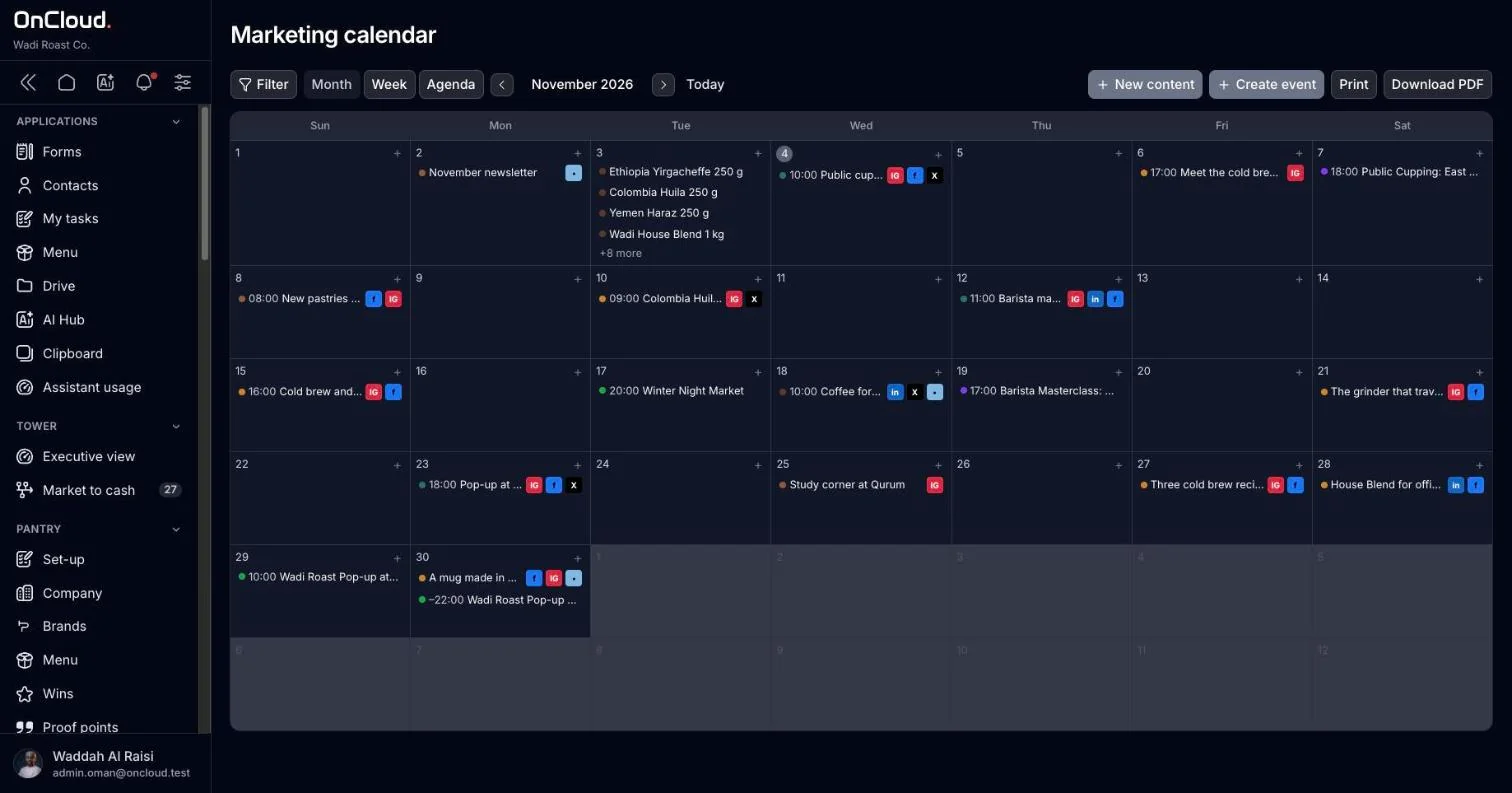
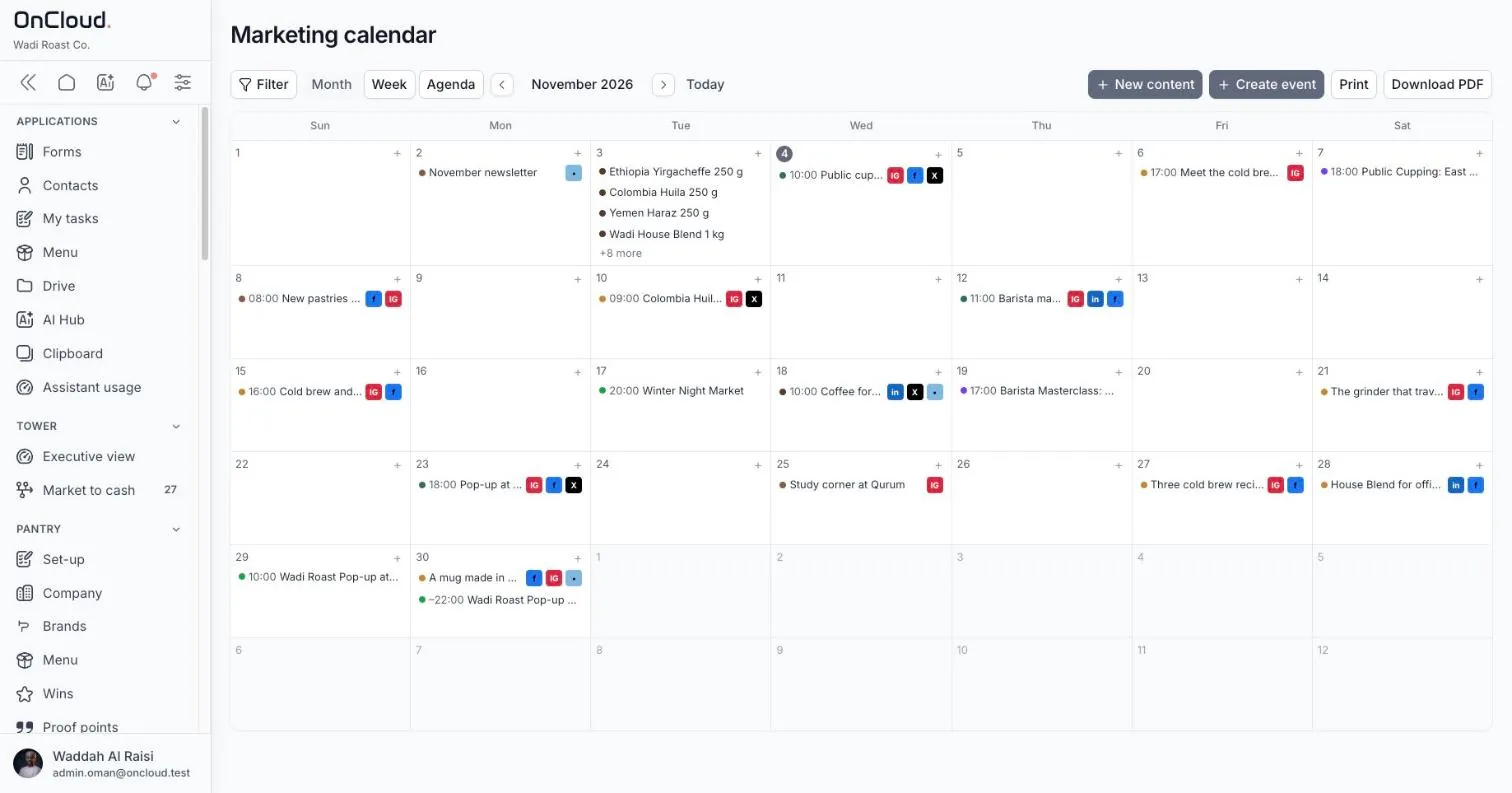
Your marketing data hub. Brand kits, content calendar, events and website builder, fed by your real products and wins.

OnCloud keeps your products, contacts, files and brands in one workspace, then turns them into content calendars, campaigns, events and websites. In English and العربية, hosted where your data has to live.
Small teams buy a tool for every job, then spend their week moving data between them. Regulators now also care where that data sits.
of their marketing software's capability is all that marketers actually use.
Gartner Marketing Technology Survey, 2023 · sourcea year spent just searching for content, for one in three marketers.
Canto / Civey poll of 500 marketers, 2021 · sourcegrowth in sovereign cloud spending in the Middle East and Africa in 2026.
Gartner, February 2026 · sourceOne sign-in, one permission model, one copy of your business data. Every tool reads from the same place, so nothing is typed twice.
Your marketing data hub. Brand kits, content calendar, events and website builder, fed by your real products and wins.
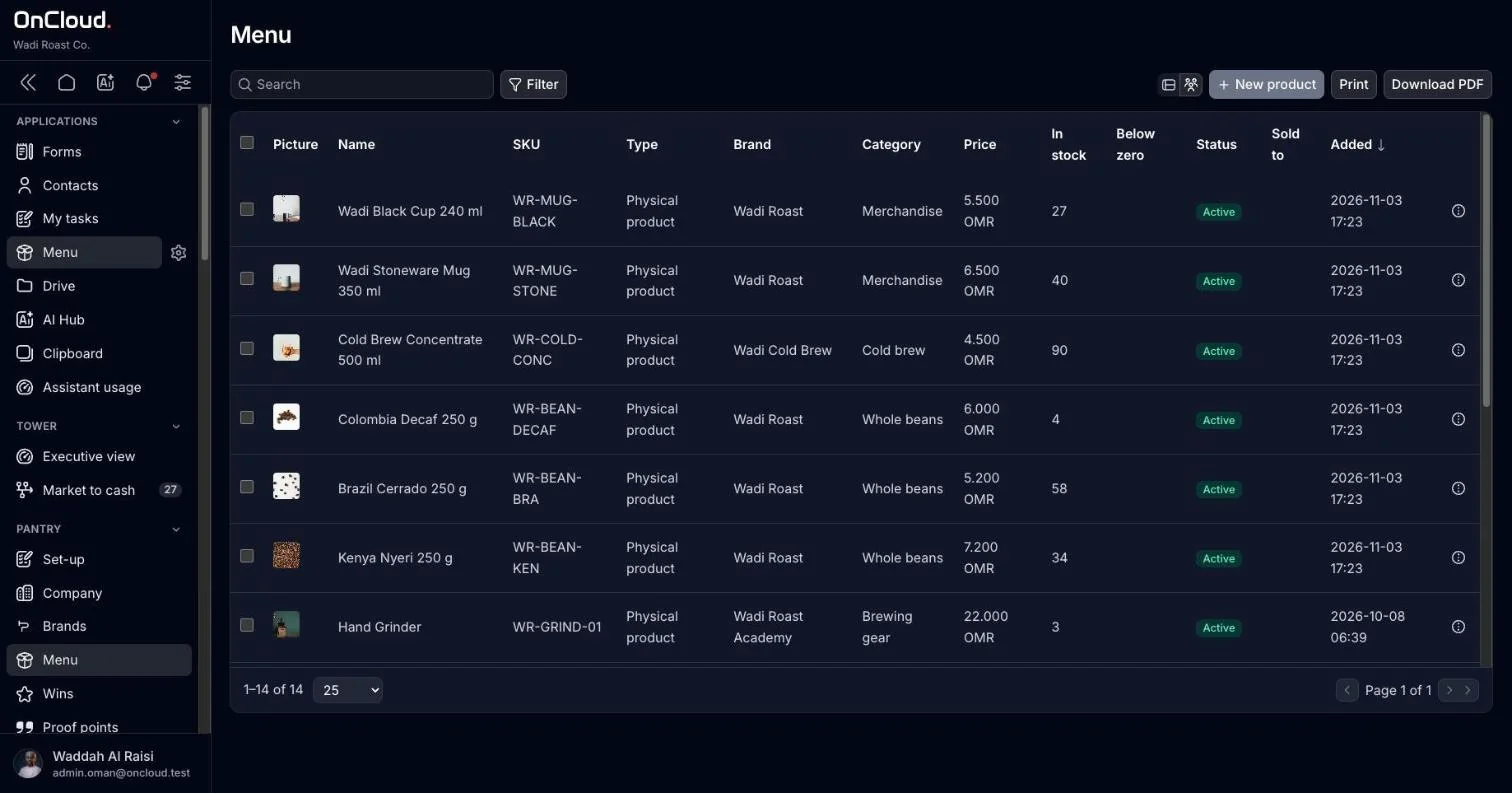
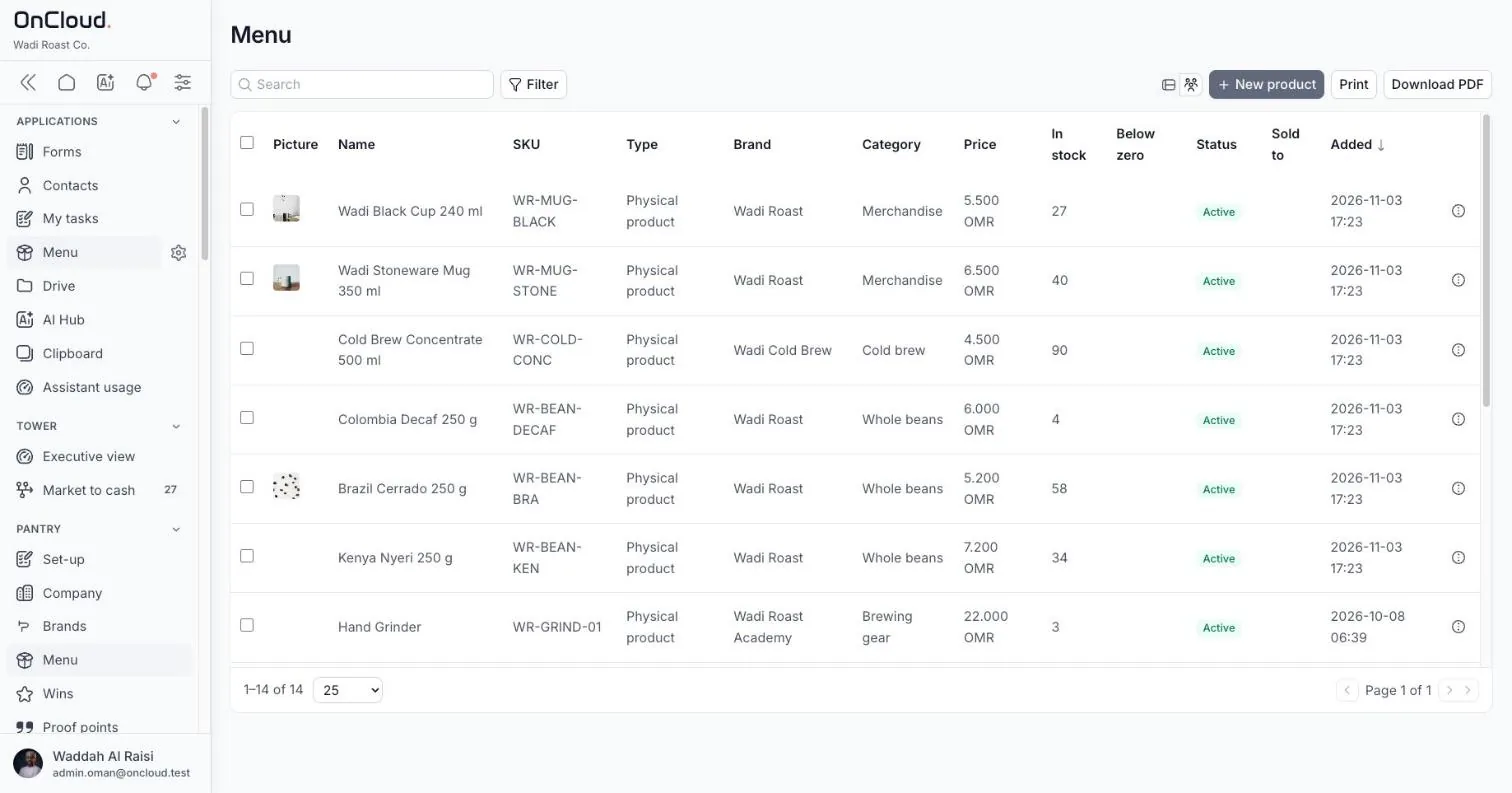
Contacts, products, files and calendar under one permission model. Prices in every currency you sell in.
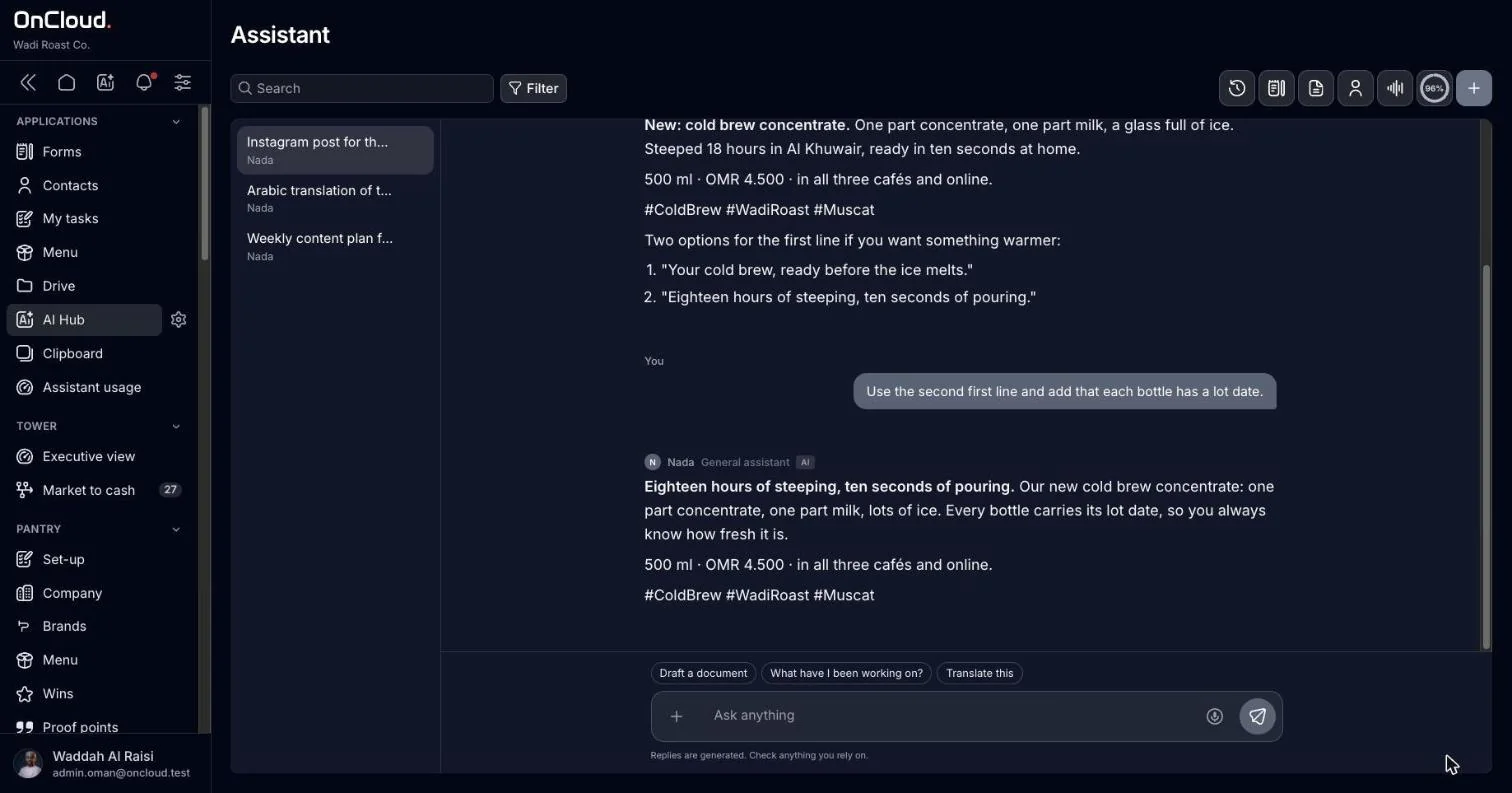
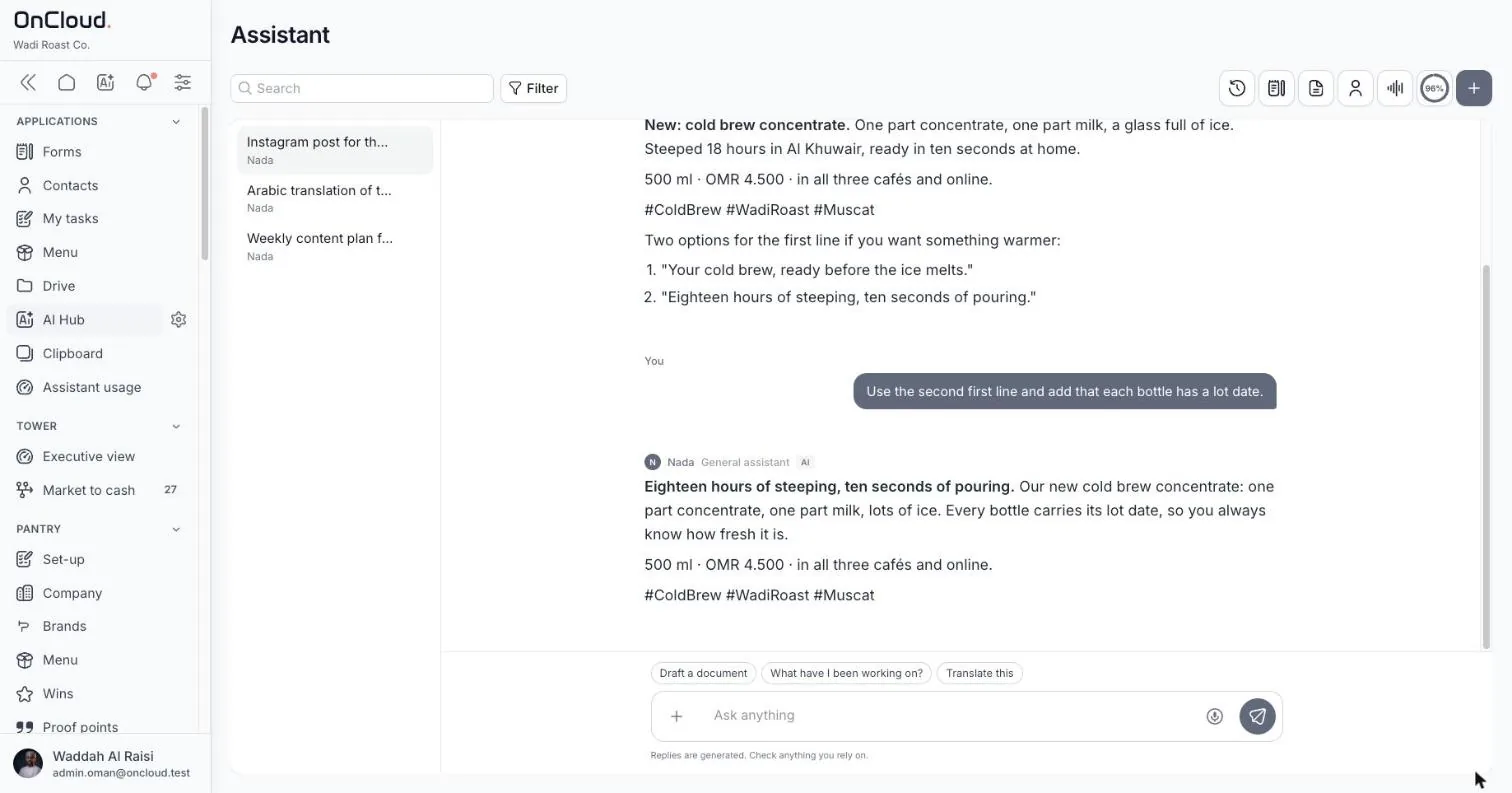
An assistant that only reads what each person is allowed to see. It proposes; you approve.

Publish to WordPress, sign in with Google, send email from the workspace, connect the tools you already pay for.
Products, services, contacts, files and brand kits go into one workspace. We load them with you during set-up.
Build the content calendar, events and websites from that data. The assistant drafts in English and Arabic from what you already have.
Publish to WordPress and email today. Instagram and Facebook come next, then X and LinkedIn.
Organisations that need marketing done properly but will never hire a ten-person department for it.

One or two people doing all of the marketing, across five or six apps.

Many brands, one small team, clean separation between clients.

We are working closely with a small group of founding clients before opening OnCloud widely. You get the founder's direct attention and locked pricing. We get real use and honest feedback.

30 minutes on your real use case, with the founder.
Or email hello@oncloud.om
Apps for your Mac and your desktop: your files in Finder, your mail turned into projects, and a terminal that explains itself. AI is one shortcut away in each.
Each app stands on its own. Sign in once and they work with your OnCloud workspace.
Your OnCloud files in Finder, and OnCloud's assistant one shortcut away.
Turn your inbox into projects, tasks and people, on your own Mac.
A terminal that shows each command as a card, and asks AI when one fails.
The browser is one window among many. These apps meet you in Finder, in Mail and in your terminal, with the same workspace behind them.
Files in Finder, projects from Apple Mail, servers in your terminal. Nothing new to learn first.
Ask in any app. It proposes; you confirm. Every change can be undone.
Roles and workspace settings apply on every machine, including what may sync offline.
Files open without a connection. Mailroom and Terminal run fully on your machine.
Mailroom keeps one file on your Mac. Terminal exports are password-encrypted.
Sync, scheduled jobs, failed checks and things that need you, in the menu bar.
Each one stands alone. Use one, two or all three.
| Desktop | Mailroom | Terminal | |
|---|---|---|---|
| Made for | Everyone in a workspace | Managers with busy inboxes | Developers and IT |
| Ends the juggling of | Downloads, uploads, browser tabs | Threads, spreadsheets, sticky notes | Terminals, SSH tools, uptime checkers, cron |
| Runs on | macOS | macOS with Apple Mail | macOS · Linux · Windows |
| Needs an OnCloud workspace | Yes | No | No · sign in with OnCloud for more |
| AI | OnCloud assistant (Option-Space) | Claude Code on your Mac | Claude Code on your machine |
| Works offline | Synced files | Fully | Fully |
One person, one ordinary day, three apps doing the routine work in the background.
A summary of the last day lands in your inbox: what moved, what is late, who is waiting on you.
You press Option-Space and type "Add Huda as a contact". You confirm, and it is in the workspace.
Pulsing flags the check. The failed build shows a Fix with Claude button with the cause and the fix.
Your scheduled e-mail goes out through Apple Mail, once, to the list you set.
Your synced folders open offline. Edits go up when you are back online.
30 minutes with the founder. Tell us which app fits your day.
We set it up with you on your machine, and show what each switch does.
Your workspace, your rules. Feedback goes straight to the people building it.
For Desktop, yes: it syncs your workspace drive. Mailroom and Terminal work on their own.
Desktop syncs with your OnCloud workspace and follows its rules. Mailroom keeps everything in one file on your Mac. Terminal keeps its settings on your machine.
The preview is not yet signed by Apple, so macOS asks the first time. We walk you through it in the set-up session.
Desktop uses the OnCloud assistant in your workspace. Mailroom and Terminal use the Claude Code already signed in on your computer, so no new key is stored in the app.
Terminal runs on Windows. Desktop runs on macOS. Mailroom works with Apple Mail, so it is macOS only.
30 minutes on your machine, with the founder.
Or email hello@oncloud.om
Each command and its output as a card. Your servers one click away. And when a command fails, AI tells you why and how to fix it.
One window for your shells, your servers, your scheduled jobs and the checks that tell you something is down.
Read output as cards, as a chat, or as the classic terminal. Switch per tab.
Named groups with colours and icons keep work, servers and side projects apart.
Save your servers and connect over SSH with one click.
Saved commands to paste, and a task list that only shows what this tab allows.
Long jobs like a dev server keep running without taking a tab.
Run commands or Claude Code jobs on a schedule; the tray tells you when one fails.
Watch your sites and servers by address or ping, and hear when one goes down.
Ask, explain, or Fix with Claude, using the Claude Code already signed in on your computer.
Move settings, servers and snippets with a password, plus automatic backups.
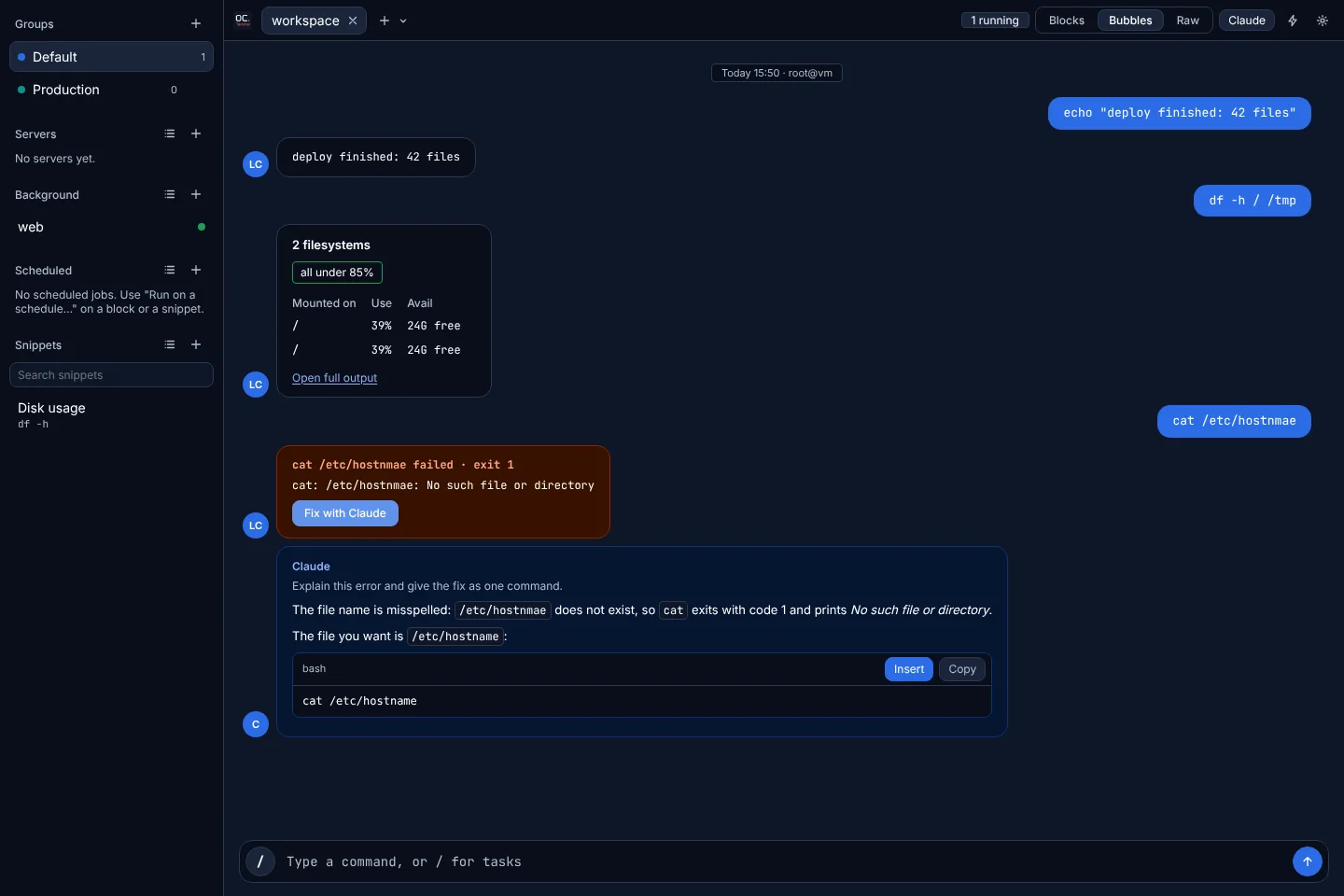
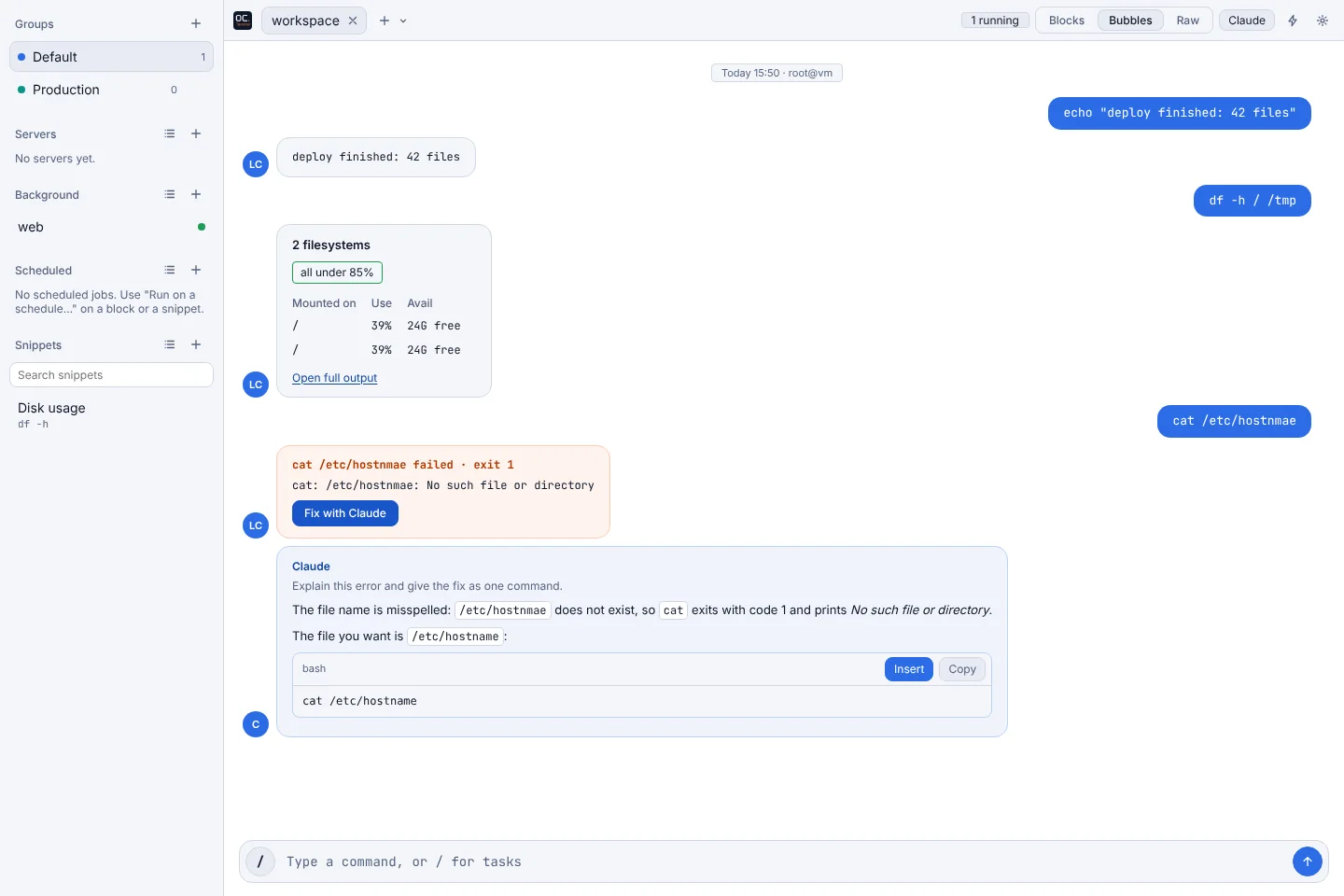
Claude Code inside the terminal can open a browser, load your page, and read the console and network, so a fix is checked before you hear about it.
Everything a terminal already does still works, including your shell and your commands. This is what comes on top.
| Traditional terminal | OnCloud Terminal | |
|---|---|---|
| How output looks | One long stream of plain text | Each command as a card, as a chat, or as plain text |
| When a command fails | You read the error and search the web | Fix with Claude explains the cause and suggests the fix |
| Connecting to servers | SSH settings typed or kept in a config file | Saved servers, connected in one click |
| Commands you reuse | Shell history and aliases | Snippets and a / palette that only shows what fits this tab |
| Long-running jobs | Keep a tab open for each | Background tasks, out of the way |
| Scheduled jobs | cron, set up and checked separately | Scheduled commands and Claude Code jobs, with alerts when one fails |
| Is my site up? | A separate monitoring tool | Pulsing, built in |
| Organising tabs | Plain tabs | Named groups with colours and icons |
| Moving to a new machine | Copy your settings files by hand | Encrypted export and automatic backups |
| AI that checks its work | Not included | Claude Code can open a browser and check the fix |
30 minutes, with the founder, on your machine.
Or email hello@oncloud.om
Your OnCloud files in Finder, and OnCloud's assistant one shortcut away. Ask a question, drop in a file, confirm a change, without opening a browser.
One sign-in. Your drive syncs, the assistant answers, and the menu bar tells you what needs you.
My drive and the workspaces you choose sync to an OnCloud folder. Files open offline; changes go up when you are back online.
Press Option-Space for the floating bar. Ask about your workspace or drop in files.
The bar proposes changes to contacts, events and deals. You confirm each one, and every change can be undone.
Sync status, things that need you, and VPN status, at a glance.
If a file changes in two places, both copies are kept and you are told which.
Files dropped on the bar are saved to your drive.
Nothing from this workspace stays on members' Macs.
Files sync as each person's role allows.
Files sync to an encrypted folder, erased when a Mac is removed.
Admins choose per workspace whether offline sync is off, allowed or protected. The app follows it on every Mac.
30 minutes, with the founder.
Or email hello@oncloud.om
Mailroom reads your mail and keeps your projects, tasks and people up to date, on your own Mac. Nothing leaves it.
Projects, tasks, people and files, built from your mail and kept current, with every change on record.
It reads Apple Mail and updates projects, tasks and people. New projects wait for your review.
A status, owner or comment you set is never overwritten by mail. Every change is logged and can be reverted.
Plan sends through Apple Mail. Each is sent once, never twice. A test mode sends only to you.
A summary of the last N days, for a project or a saved view, on your schedule.
Attachments matched to files already in your OneDrive or Google Drive folders, without opening them.
⌘K search, saved views, and a handover export as a folder or PDF.
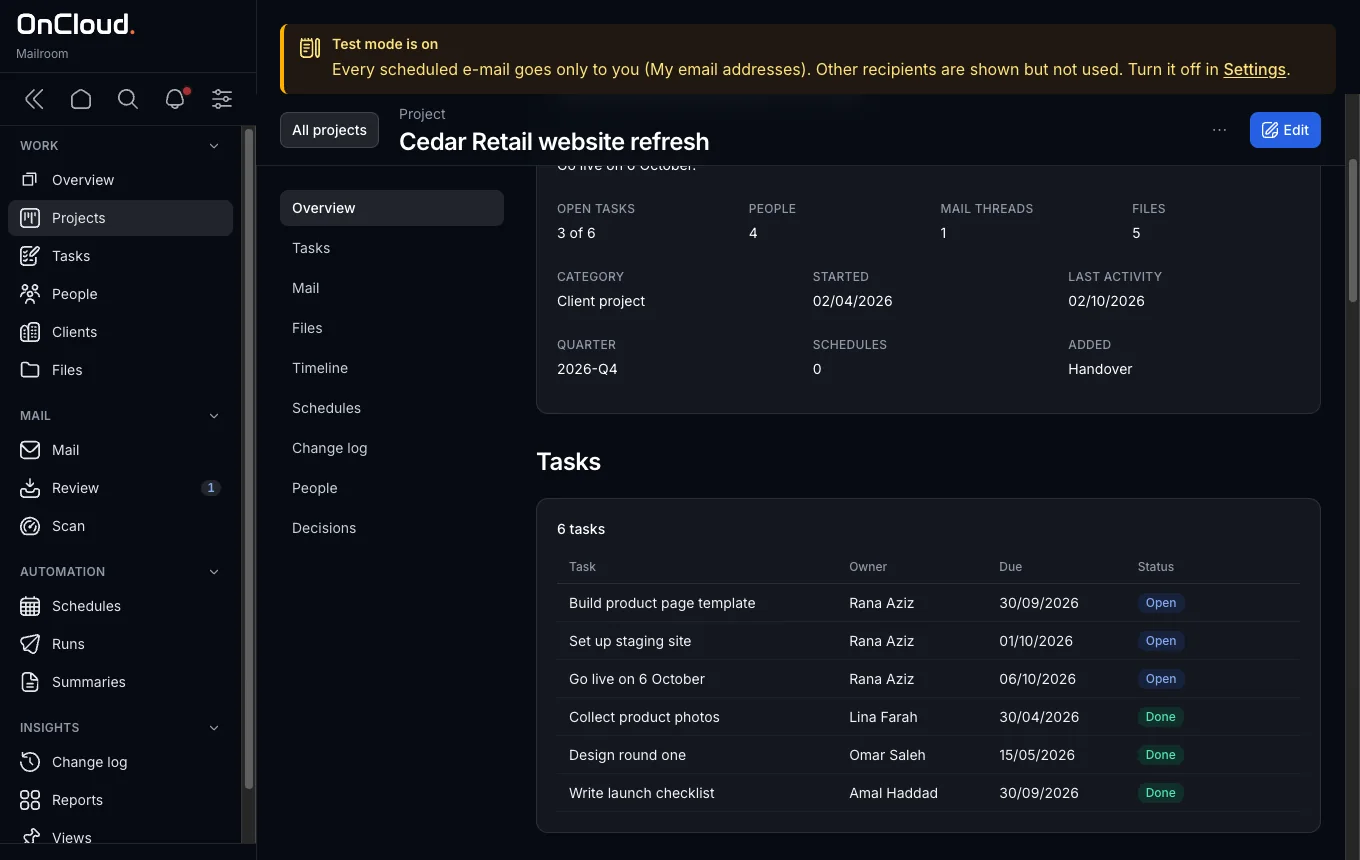
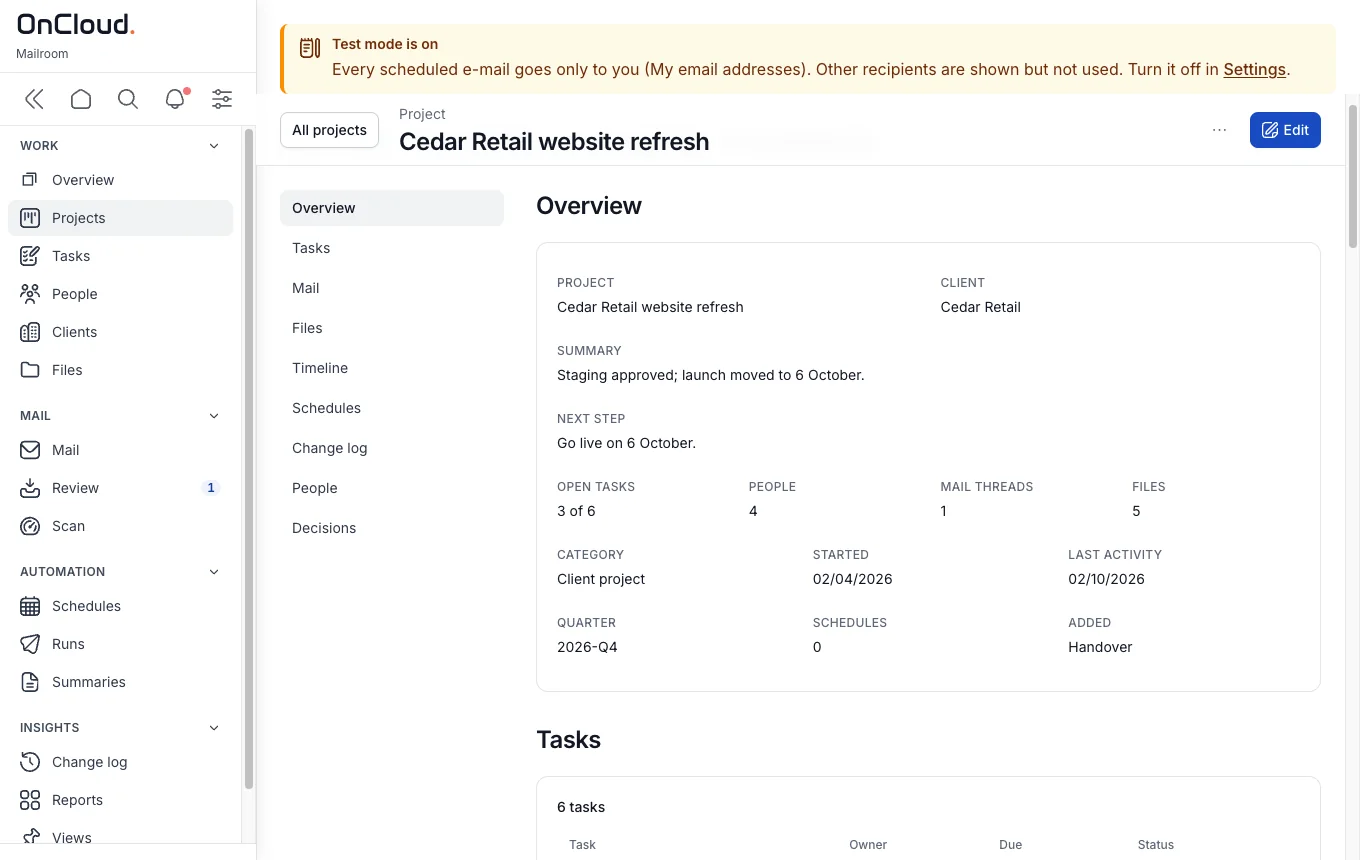
Mailroom works from your Mac's own copy of your mail and files, and keeps everything in one file on that Mac.
30 minutes, with the founder.
Or email hello@oncloud.om
Everything shares one sign-in, one permission model and one copy of your data. Here is what is inside, and what comes next.

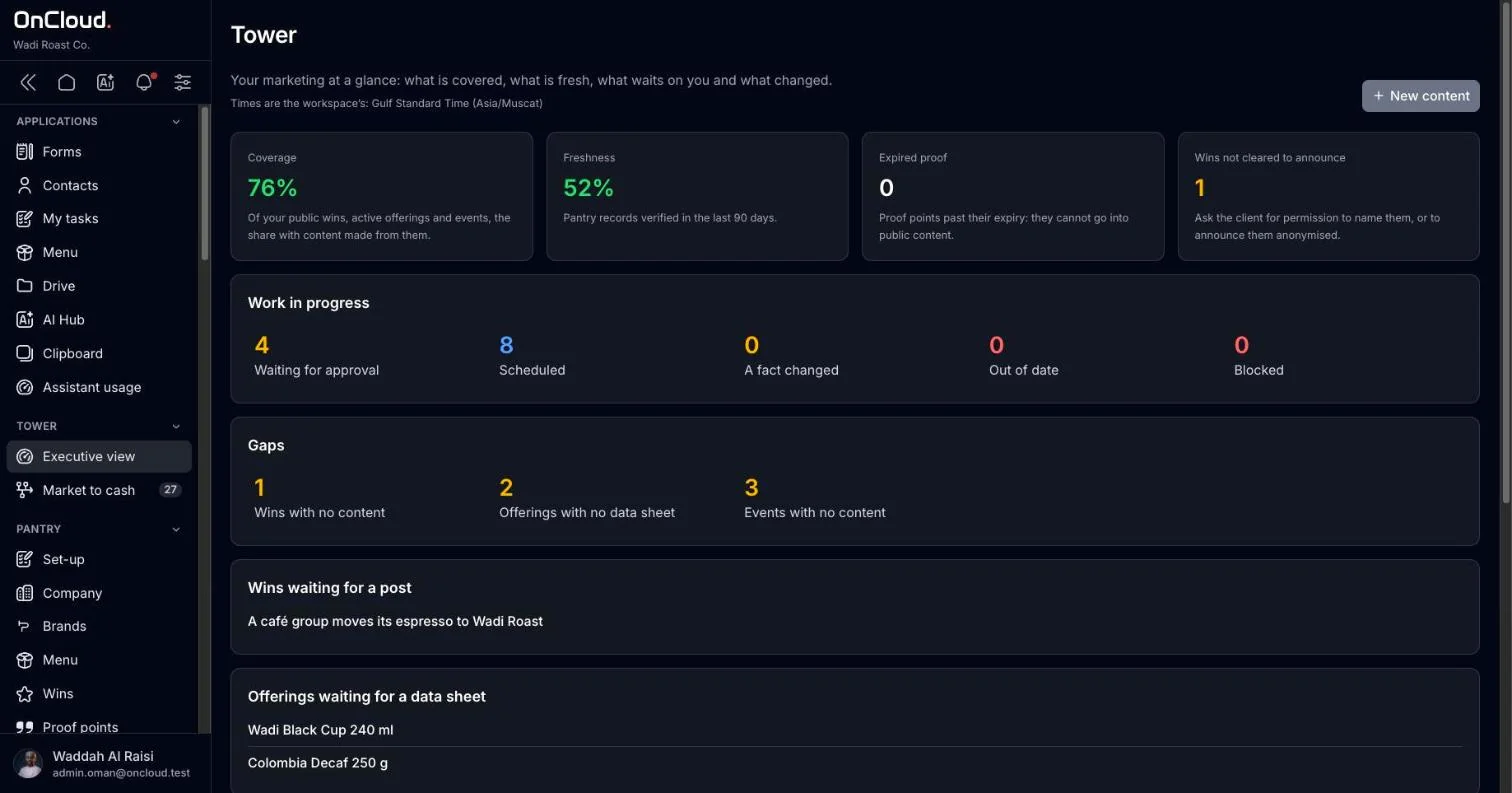
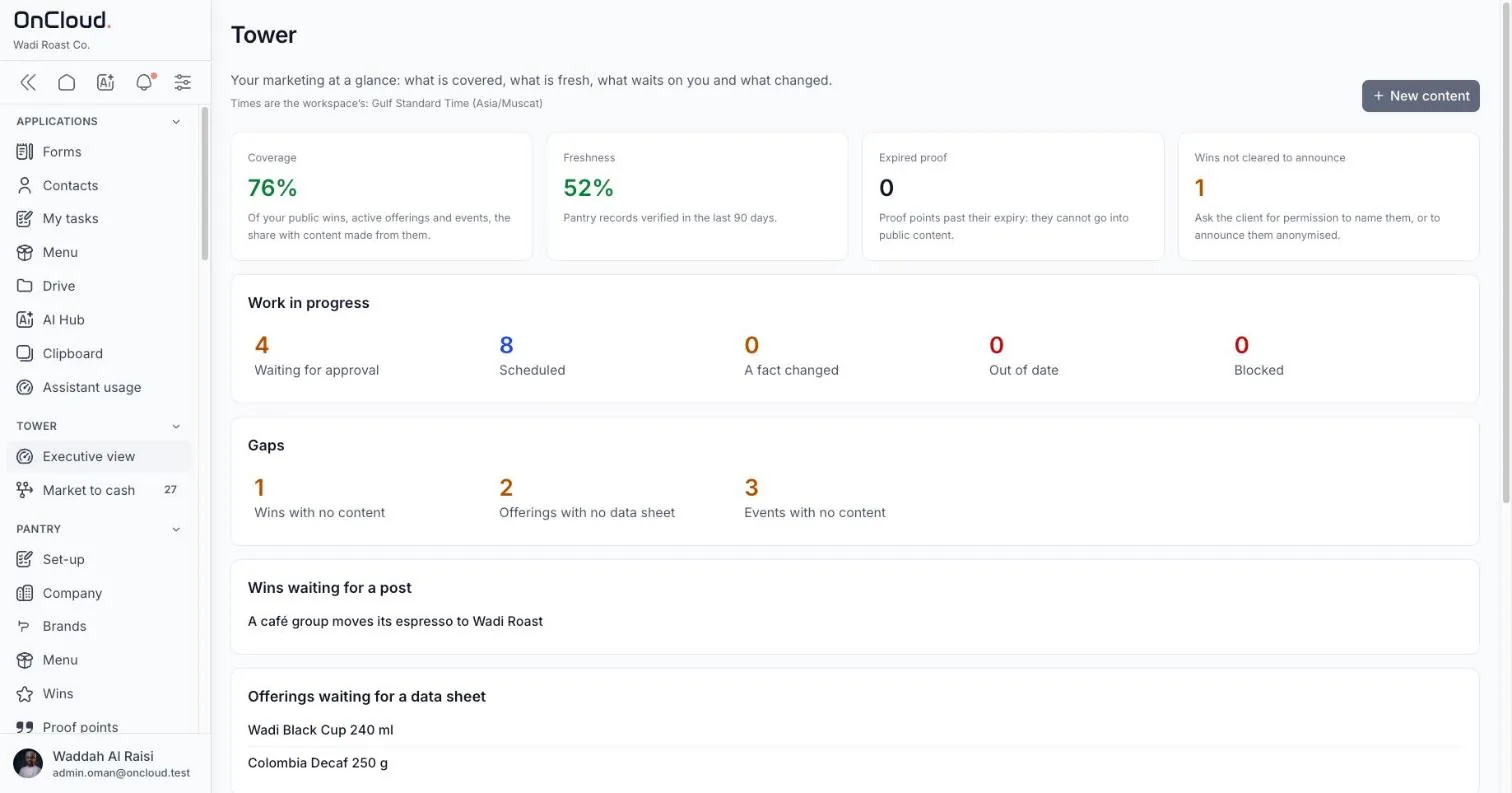
Your products, services, company facts and wins sit in one pantry. Tower's tools cook from it for each channel and audience.
Every screen works right-to-left. Each person picks their own language; the workspace sets a default. Only 0.6% of websites are in Arabic (W3Techs, 2026).
One switch hides advanced fields for people who just need to get the job done.
Pick your business type at sign-up. Menus, terms and AI context follow it.
What you can't use, you don't see. No greyed-out buttons, no side doors through files.
Contrast, keyboard and screen-reader support come before visual effects.
Anything in the system can be changed in the app by someone with the right role. No support ticket needed.
30 minutes on your real use case, with the founder.
Or email hello@oncloud.om
Most marketing tools start with a blank page. OnCloud starts with what your business already knows: its products, services, people and wins. Every channel then tells the same story.

marketing technology products on the market today, in 49 categories.
chiefmartec, 2025of what their marketing tools can do is what marketers actually use.
Gartner survey, reported 2022marketers spend about three weeks a year just searching for content.
Canto / Civey poll, 2021Each tool keeps its own copy of your business. Over time the copies drift apart.

Store your business facts once. Turn them into content for each channel. Serve every audience the same truth.
Products, services, company facts, brand rules and wins live in one place, in English and Arabic.
Tower's tools turn those facts into posts, pages, emails and decks in your brand, with AI that only reads what you can see.
Plan on one calendar, get approvals, publish, and see results next to the data that made them.

Your agency knows your business. OnCloud gives them everything they need, and gives you a clear view of the work.
Do the work of a full team without hiring one. Executives see the same data as the people running campaigns.
Communications from one approved source, with data kept where your rules say it must stay.
Manage each client in their own workspace, with approvals and reports the client can see.
Keep the tools you love for the craft. Let OnCloud hold the facts they all need.
| Job | Typical tool | In OnCloud |
|---|---|---|
| Files and brand assets | Dropbox, Google Drive | Brand library and Drive |
| Customers and contacts | HubSpot, spreadsheets | Contacts, shared across the team |
| Campaign planning | Asana, Trello | Content calendar, per brand |
| Social scheduling | Buffer, Hootsuite | Content calendar, with each post previewed per channel |
| Writing and images with AI | ChatGPT, Midjourney | AI Hub, reading your own data |
| Campaign pages | Squarespace, Wix | Website builder, from your catalogue |
| Design editing | Canva | Keep it. Store approved designs in OnCloud |
| Email sending | Mailchimp | Keep it. Your contacts stay in OnCloud |
Three minutes with the ROI calculator, or 30 minutes with the founder on your real use case.
Apps, integrations and data access on the same workspace your clients already use. Start in your own sandbox, go live once your app is approved.

Every developer gets their own login and sandbox. Nothing reaches a real workspace until OnCloud has reviewed it.
Request access. You get a developer account and a sandbox workspace with sample data.
Register it in the developer portal, choose the data it needs, and build against the sandbox.
OnCloud checks what the app reads and writes, and how it handles people's data.
Once approved, workspaces can install your app and you get production access to the API.
Describe screens, data and actions in one manifest file. OnCloud draws the interface, in English and Arabic, with its permissions built in.
Connect payment, messaging, email and other providers through the plugin layer, so every workspace can switch them on.
Read and write contacts, products, files and plans over a versioned REST API, within what each workspace allows.
# List contacts in a workspace
GET /api/v1/contacts?per_page=20
Authorization: Bearer <access_token>
Accept: application/json

# 200 OK
{
  "data": [
    { "id": "01J…", "name": "Al Noor Trading",
      "type": "organisation", "tags": ["client"] }
  ],
  "meta": { "per_page": 20, "next_cursor": "…" }
}

Tell us what you want to build. We'll set up your login and sandbox.
For agencies, resellers and consultants who want to bring one workspace for data and marketing to their clients.

Introduce companies that need OnCloud. We run the sale and set-up, and you are rewarded for every client you bring.
Manage each client in their own workspace. Your client sees the work and approves it, and your team spends less time on admin.
Sell OnCloud under your own contract, and offer set-up, data migration and training to your clients.

Tell us about your company and your clients.
A call with the founder to agree the role and terms.
Your demo workspace, sales kit and training.
We support you through your first client's go-live.
Tell us how you work today. We'll find the partnership that fits.
Pick your business type. Each page shows where the time goes, a working day with OnCloud, and what it saves in the ROI calculator.


Many clients, many brands, one workspace with clean separation.

Turn your projects and wins into proof your next client reads.

One workspace for the data and the marketing, whatever you do.
Running a different kind of business? OnCloud shapes its workspace to your business type. Tell us about yours
30 minutes on your real use case, with the founder.
Or email hello@oncloud.om
Run each client's brand kit, calendar and approvals side by side. Give a client access to their brand and nothing else, and draft in both languages from their own material.
Each client has a brand kit: logos, colours, fonts and voice, in one place.
The client approves in the workspace, and the post moves on.
A client sees their own brand and nothing else.
Every client's calendar side by side; gaps show at once.
Draft posts from the client's own brand kit and products.
The client reviews and approves in their own view.
Close the month with what went out, per brand.
Every client, side by side.
Each client's look and voice.
Launches and activations.
Drafts in the client's voice.
The ROI calculator opens set up for this business type. Change the team, tools and hours to match yours, and see the return.
Yes. Invite a client with a role that shows their brand and nothing else.
On OnCloud Cloud, on our servers. On Sovereign, on dedicated OnCloud hardware. On Private Cloud, in your own data centre. You choose before set-up, and we put it in the agreement.
Every screen is designed right-to-left, and each person picks their own language. Ask for the walkthrough in Arabic and judge for yourself.
30 minutes on your real use case, with the founder.
Or email hello@oncloud.om
Ministries, authorities and public companies plan communication, run events and publish in Arabic and English, on Private Cloud or Sovereign hosting, with roles that match the org chart.

Choose Private Cloud in your own data centre, or Sovereign on dedicated hardware; it is written into the agreement.
Each piece of content carries its review and approval steps, and history shows who changed what.
Write both languages side by side in one field, and publish them together.
The communication plan for the quarter sits on one calendar.
The team drafts the announcement in Arabic and English.
The department head reviews and approves it in the workspace.
It goes out on the planned day, with the event page ready for registrations.
Campaigns with review steps.
Invitations, registrations and the door.
Stakeholders and media in one list.
Files and brand material, by department.
The ROI calculator opens set up for this business type. Change the team, tools and hours to match yours, and see the return.
Yes. Private Cloud is sold as an annual licence, and we will complete your security questionnaire and scoping as part of the process.
On OnCloud Cloud, on our servers. On Sovereign, on dedicated OnCloud hardware. On Private Cloud, in your own data centre. You choose before set-up, and we put it in the agreement.
Every screen is designed right-to-left, and each person picks their own language. Ask for the walkthrough in Arabic and judge for yourself.
30 minutes on your real use case, with the founder.
Or email hello@oncloud.om
Consultancies, IT firms and facilities companies keep their services, clients and case material in one workspace, then build proposals, posts and pages from what they have already delivered.
Log a win when it happens; the assistant drafts the case study from it.
Each service is described once and reused, so every proposal says the same thing.
Client contacts live in the company's list, not in one person's phone.
A project closes; log the result as a win.
The assistant drafts a case study and a post from it.
The next proposal reuses the same service descriptions.
Email the client from the workspace; the thread stays with the company.
Clients and their history.
Your services, described once.
Client threads that stay with you.
Case studies from your own wins.
The ROI calculator opens set up for this business type. Change the team, tools and hours to match yours, and see the return.
Yes. Folders and roles decide who sees what, and each client's files stay in their own folder.
On OnCloud Cloud, on our servers. On Sovereign, on dedicated OnCloud hardware. On Private Cloud, in your own data centre. You choose before set-up, and we put it in the agreement.
Every screen is designed right-to-left, and each person picks their own language. Ask for the walkthrough in Arabic and judge for yourself.
30 minutes on your real use case, with the founder.
Or email hello@oncloud.om
Keep the menu, prices and daily specials in one place, plan the week's posts around them, and keep regular customers close with a contact list that is yours.

Mark today's special in the menu and the post starts from it.
The website reads the menu live: change a price once and it shows everywhere.
Regulars and their orders sit in a contact list the whole team can see.
Mark what came out of the oven as today's special.
The day's post is ready from the menu, with its photo and price.
A large order arrives; the customer is saved with it.
Plan the weekend offer on the calendar before closing.
Every item once, with its photo.
The week's posts around your bakes.
A menu page that is always current.
Regulars and large orders.
The ROI calculator opens set up for this business type. Change the team, tools and hours to match yours, and see the return.
No. Posts start from your menu items and their photos, in your brand's colours; you check them and publish.
On OnCloud Cloud, on our servers. On Sovereign, on dedicated OnCloud hardware. On Private Cloud, in your own data centre. You choose before set-up, and we put it in the agreement.
Every screen is designed right-to-left, and each person picks their own language. Ask for the walkthrough in Arabic and judge for yourself.
30 minutes on your real use case, with the founder.
Or email hello@oncloud.om
List your services and prices once, keep clients and their preferences in one list, and plan the posts and offers that bring them back.

One price list feeds the website and every post.
Keep regulars in your contact list and tell them about the next offer.
Plan the month in one sitting; the calendar reminds you on the day.
The day's post is already scheduled from last week's plan.
Note a regular's usual cut in their contact.
Add a service and its price; the website shows it.
Plan next month's offer for your regulars.
One list for the shop and the web.
Clients and their preferences.
Posts and offers, planned ahead.
Your services, live on your page.
The ROI calculator opens set up for this business type. Change the team, tools and hours to match yours, and see the return.
Yes. The workspace works in the phone's browser, in Arabic or English.
On OnCloud Cloud, on our servers. On Sovereign, on dedicated OnCloud hardware. On Private Cloud, in your own data centre. You choose before set-up, and we put it in the agreement.
Every screen is designed right-to-left, and each person picks their own language. Ask for the walkthrough in Arabic and judge for yourself.
30 minutes on your real use case, with the founder.
Or email hello@oncloud.om
Describe each treatment once, in English and Arabic, and reuse it in offers, posts and your website. Keep clients and their history in one place your team shares.

Each treatment is written once in both languages and reused everywhere.
Plan Eid, summer and wedding-season offers on the calendar weeks ahead.
Client history lives in Contacts, shared by the team.
Check the week's offer posts on the calendar.
Add the treatment to her history after the visit.
Describe it once; the assistant drafts the Arabic or English.
Plan the next season's offer before it starts.
Each one described once, in two languages.
Clients and their history.
Seasonal offers, planned ahead.
Copy in Arabic and English.
The ROI calculator opens set up for this business type. Change the team, tools and hours to match yours, and see the return.
The people whose role allows it. You decide the roles, and you can change them at any time.
On OnCloud Cloud, on our servers. On Sovereign, on dedicated OnCloud hardware. On Private Cloud, in your own data centre. You choose before set-up, and we put it in the agreement.
Every screen is designed right-to-left, and each person picks their own language. Ask for the walkthrough in Arabic and judge for yourself.
30 minutes on your real use case, with the founder.
Or email hello@oncloud.om
Keep products and prices in one catalogue, plan the week's promotions on the calendar, and publish them to your page without retyping a single price.

One catalogue holds every price; posts and pages read it.
Plan the week's promotions on the calendar, ready before the shelf changes.
The website reads the catalogue live, so it shows today's prices.
New stock arrives; update prices in the catalogue.
Pick this week's offers from the catalogue.
The promotion post is drafted with the right prices.
Your page shows the offers the same day.
One catalogue for everything.
The week's promotions.
Offers live on your page.
Product photos and flyers.
The ROI calculator opens set up for this business type. Change the team, tools and hours to match yours, and see the return.
Yes. Founding clients get set-up done with them, and that includes loading your products.
On OnCloud Cloud, on our servers. On Sovereign, on dedicated OnCloud hardware. On Private Cloud, in your own data centre. You choose before set-up, and we put it in the agreement.
Every screen is designed right-to-left, and each person picks their own language. Ask for the walkthrough in Arabic and judge for yourself.
30 minutes on your real use case, with the founder.
Or email hello@oncloud.om
Contacts, products, files and brands in one place, with the content calendar, events and website built on them. Start general and shape it as you go.
One contact list the whole team shares, with each person's history in one place.
Products, files and contacts are entered once and reused by posts, pages and emails.
Roles give each person what they need, so work goes on when someone is away.
Open the content calendar and see what goes out today, per brand.
A new enquiry arrives from the website form and lands in Contacts.
Draft next week's posts with the assistant, from your own products and files.
Update a price once; the website shows it on the next visit.
Everyone you work with, in one list.
What you sell, described once.
The month's posts, per brand.
Pages that read your products live.
The ROI calculator opens set up for this business type. Change the team, tools and hours to match yours, and see the return.
Yes. Start with this general set-up: the same modules, with words that fit any organisation. You can switch to a closer business type later.
On OnCloud Cloud, on our servers. On Sovereign, on dedicated OnCloud hardware. On Private Cloud, in your own data centre. You choose before set-up, and we put it in the agreement.
Every screen is designed right-to-left, and each person picks their own language. Ask for the walkthrough in Arabic and judge for yourself.
30 minutes on your real use case, with the founder.
Or email hello@oncloud.om
Where it runs, who can read it, and what the AI does with it. In plain words, with nothing left out.

Each document opens with a short summary in plain words, then the full text. New drafts are marked until our lawyers in Oman sign them off.
What we each commit to.
The agreement for using OnCloud: accounts, plans, payment, your data and our responsibilities.
Updated 15 Oct 2026The licence for OnCloud software you run yourself: Private Cloud, the WordPress plugin, the Chrome extension.
Updated 17 Oct 202699.5% monthly uptime on paid Business plans, service credits if we miss it, and support response times.
Updated 17 Oct 2026The terms under which we process personal data in your workspace on your behalf.
Updated 17 Oct 2026How to cancel, when access ends, what is refunded and how to ask for a refund.
Updated 17 Oct 2026Where it lives, who touches it, how long we keep it.
What personal data we collect, why, who processes it and the rights you have.
Updated 15 Oct 2026Where your data lives for each hosting option, how long we keep it and how you export or delete it.
Updated 17 Oct 2026The companies that process workspace data for us, what they do and where they are.
Updated 17 Oct 2026What the AI in OnCloud does, what it can read, where your data goes, and who decides.
Updated 17 Oct 2026The few cookies and browser storage items we use, why, and how long they last.
Updated 17 Oct 2026How we expect the service to be used, and how we build it.
What you may not do with OnCloud, how we act when rules are broken, and how to report abuse.
Updated 17 Oct 2026Our WCAG 2.2 AA target, what is built in, known gaps, and how to tell us when something blocks you.
Updated 17 Oct 2026How to report a security issue to us, what is in scope, and what we commit to in return.
Updated 17 Oct 2026Same product, three ways to host it. Pick the one your compliance team will sign.
Sign up and start. We run the servers, updates and backups.

Isolated infrastructure with local AI models. Nothing goes to a third-party AI provider.
OnCloud installed in your data centre under an annual licence.
| Cloud | Sovereign | Private Cloud | |
|---|---|---|---|
| Where it runs | OnCloud servers | Dedicated OnCloud hardware | Your data centre |
| AI | OnCloud AI add-on or your own key | Local models, fixed monthly fee | Scoped per engagement |
| Who runs it | OnCloud | OnCloud | Your IT, with OnCloud support |
| Commercial | Monthly plan | Plan plus uplift | Annual licence |
| Best for | Businesses and agencies | Teams that can't send data to AI providers | Government and regulated sectors |
Files attached to records belong to your workspace, not to an individual account.
Every action has its own permission. Nothing is granted by accident.
The assistant asks before it acts, and every change it makes can be reversed.
No one can read other people's AI conversations unless your admin turns that on.
Core code and assets are served from our own infrastructure, so private installs work offline.
Thirteen documents, each with a plain summary first. Browse them.
| Country | Rule | What it means for you | OnCloud option |
|---|---|---|---|
| Oman | PDPL fully enforceable since 5 Feb 2026; fines up to OMR 2,000 per violation | Sending personal data abroad needs consent and equal protection | Sovereign or Private Cloud |
| Saudi Arabia | PDPL enforced since 14 Sep 2024; fines up to SAR 5M | Transfers out of the Kingdom only in limited cases | Private Cloud in-Kingdom |
| UAE | Separate regimes onshore, DIFC and ADGM | Requirements depend on where you are licensed | Scoped per engagement |
Sources: CMS, Oman PDPL, 2026 · CMS Expert Guide, Saudi Arabia. This is not legal advice.
30 minutes on your real use case, with the founder.
Or email hello@oncloud.om
Before opening OnCloud widely, we are working closely with a small group of organisations. Here is exactly what that means.
No support queue. Requests go straight to the person building the product.
We load your products, contacts and brand kits so you start with real data on day one.
Your rate stays fixed for the founding term, whatever list prices do later.
What you ask for goes to the top of the list.
Run real work through OnCloud, not a side trial.
Tell us what breaks, and let us share the results once you're happy with them.
30 minutes on your real use case.
We agree the brands, data and people to bring in.
We load your data and train your team.
Monthly check-ins, then the case study.
On OnCloud Cloud, on our servers. On Sovereign, on dedicated OnCloud hardware. On Private Cloud, in your own data centre. You choose before set-up, and we put it in the agreement.
Only if you choose a cloud AI provider. Sovereign runs local models on our hardware, and you can also bring your own provider key. The assistant only ever reads what the signed-in person is allowed to see.
Fair question. The founder has been building toward OnCloud since 2014, and four earlier systems ran with paying clients. Your data can be exported at any time, and Private Cloud runs on your own servers under licence.
Every screen is designed right-to-left, and each person picks their own language. Ask for the walkthrough in Arabic and judge for yourself.
You may not need to switch everything at once. Most teams start by moving brands, products and the content calendar, then retire tools as OnCloud takes over their job.
Founding clients get set-up done with them. You pick your business type at sign-up and start from a ready workspace, then we load your data together.
Yes. Private Cloud is sold as an annual licence, and we will complete your security questionnaire and scoping as part of the tender.
Founding clients get a locked founding rate, agreed during scoping. AI is a separate, optional allowance shared across the workspace.
30 minutes on your real use case, with the founder.
Or email hello@oncloud.om
Tell us who is in your story, size your team, and see what it gives back. Three steps, about three minutes.
Switch people on and off, or click them in the room. OnCloud AI works with everyone.


 The board
 IT and compliance
 Marketing team
 Investors
 Your team
 FounderOnCloud AI
Your story fills this in. We suggest the plan that costs you least, for up to people.
A minimum of users is required. The admin and any developers count towards it; we add users to cover the rest.
Shown per month so you can compare. You pay once a year: one invoice, your price fixed for twelve months, and nothing to chase every month. That keeps our costs down, and the saving stays in your price.
Before VAT. Add people at any time.Whoever is in your story, these come with every licence.
Your marketing team and agency switches in step 1 pick how your marketing runs today. The OnCloud price comes from step 2. Change anything below.
| Per month | Today | With OnCloud |
|---|
Salaries and agency fees are not included. OnCloud does not change them.
Get your quote by email, or walk through it with the founder in 30 minutes.
These terms govern your use of the OnCloud platform at app.oncloud.om, its APIs and plugins, and this website (the "Service"), provided by OnCloud ("OnCloud", "we", "us"). By creating an account or using the Service you agree to them. If you use the Service for an organisation, you confirm you may accept these terms on its behalf, and "you" includes that organisation ("Customer").
OnCloud is a business workspace that includes modules such as Contacts, Products, Drive, Marketing, Calendar, Messaging and the AI Hub, and plugins that connect outside services (for example WordPress and WooCommerce, Google and Microsoft sign-in, and AI providers). The features available to you depend on your plan and add-ons.
You must not use the Service to:
When you connect an outside service through a plugin, your use of that service is governed by its own terms, and you authorise us to exchange data with it as the plugin requires. We are not responsible for outside services, their availability or changes they make that affect a plugin.
We work to keep the Service available and secure, but it may be interrupted for maintenance or reasons outside our control. We improve the Service over time and may change or retire features; if a change materially reduces a paid feature, we will give reasonable notice. Features marked beta or preview are provided as they are and may change.
OnCloud and its licensors own the Service, its software, design and brand. These terms give you a limited, non-exclusive, non-transferable right to use the Service during your subscription. You may not copy, modify, reverse-engineer or create derivative works of the Service, except as the law allows. If you send us feedback, we may use it without obligation.
Except as stated in these terms, the Service is provided "as is" and "as available". To the extent the law allows, we disclaim all implied warranties, including fitness for a particular purpose and non-infringement.
To the extent the law allows, neither party is liable for indirect, incidental, special or consequential damages, or for lost profits, revenue or data, and OnCloud's total liability for any claims relating to the Service is limited to the fees you paid us for the Service in the 12 months before the event giving rise to the claim. These limits do not apply to liability that cannot be limited by law.
You will defend and indemnify OnCloud against claims by third parties arising from your Customer Data or your breach of these terms or of the law.
These terms are governed by the laws of the Sultanate of Oman. The courts of Muscat have exclusive jurisdiction, unless the law requires otherwise.
Contact: legal@oncloud.om · OnCloud, Muscat, Sultanate of Oman.
Questions about this document: legal@oncloud.om
This licence is between [OnCloud legal entity], commercial registration [CR number], Muscat, Sultanate of Oman ("OnCloud", "we", "us") and the organisation that installs or runs our software ("Customer", "you"). Version 0.9 (draft). Effective 17 October 2026.
It covers OnCloud software that runs on devices or infrastructure you control:
Use of our hosted service at app.oncloud.om and api.oncloud.om is covered by the Terms of Service, not this licence. Where you use the plugin or extension with a hosted workspace, both apply. If an order form conflicts with this licence, the order form wins for that order.
While your licence is active and fees are paid, we grant you a non-exclusive, non-transferable licence to install and use the software for your internal business purposes, within the scope set out in section 3. You may let your employees and contractors use it on your behalf. You are responsible for what they do with it.
We own the software and all rights in it. This licence gives you the right to use it. It does not sell or assign the software or any intellectual property to you.
The WordPress plugin and Chrome extension are licensed free of charge unless an order says otherwise. Paid features in them need an active OnCloud plan.
For Private Cloud, your order form sets:
Keep your licence key confidential. Do not share it outside your organisation or use it for more seats or environments than you have paid for. If you need more, ask us and we will issue an updated order form and key. If you think a key has been exposed, tell us at support@oncloud.om and we will replace it.
A backup or disaster-recovery copy that is not in active use does not count as an extra environment.
Unless the law allows it despite this restriction, or we agree in writing, you must not:
During an active term you are entitled to updates and security fixes we release for your licensed edition, and to support as set out in your order form. Support hours and response targets follow the Service Level Agreement unless your order form sets different levels.
You decide when to install updates on a Private Cloud install. We support the current release and [the previous release]. If you stay on an older release, we may ask you to update before we can fix a problem.
The WordPress plugin and Chrome extension update through their stores. You can turn automatic updates off in WordPress or Chrome, but older versions may stop working with the hosted service.
Data you put into the software is yours. On a Private Cloud install it stays on your infrastructure. We do not receive a copy.
The WordPress plugin and Chrome extension send data to your OnCloud workspace only when you connect them to it. What they send is described in the Privacy Policy.
You are responsible for securing, backing up and operating your own infrastructure, and for meeting the data protection laws that apply to you, including Oman's Personal Data Protection Law (Royal Decree 6/2022).
The software includes open-source components. Each is licensed under its own terms, which we list in [a notice file shipped with the software / a page at a URL to be confirmed]. Where an open-source licence gives you rights this licence would otherwise restrict, the open-source licence applies to that component. Nothing in this licence limits those rights.
We may ask you, no more than once a year, to confirm in writing that your use is within your licensed seats and environments. If there are reasonable grounds to think it is not, we may ask for a light review, with at least [30] days' written notice, during normal business hours, and limited to licence usage. We will not look at your business data.
If the review shows use beyond your licence, you pay the fees for the extra use at the rates in your order form. If the excess is more than [10]%, you also pay the reasonable cost of the review.
A Private Cloud licence runs for the term in the order form and renews as it states. The plugin and extension licences run until you uninstall them or we end them.
Either party may end the licence by written notice if the other materially breaches it and does not fix the breach within [30] days of being told. We may also end it at once if you do not pay undisputed fees within [30] days of a reminder.
When the licence ends:
Fees paid for a term are not refunded on termination, except as set out in Refunds and cancellation or your order form.
You must not use, export or re-export the software in breach of export control or sanctions laws that apply to you or to us, including those of the Sultanate of Oman. You confirm that you are not a party named on a sanctions list that prohibits us from dealing with you.
For [90] days after delivery of a Private Cloud release, we warrant that it will perform materially as described in our documentation. If it does not, and you tell us within that period, we will fix it or replace it. If we cannot, either party may end the licence for that release and we will refund the fees you paid for the unused part of the term. This is your only remedy under this warranty.
The warranty does not cover problems caused by changes you made, by your infrastructure, by third-party software, or by use outside our documentation. The free plugin and extension are provided as they are.
Except as stated here and to the extent the law allows, we give no other warranties, express or implied, including fitness for a particular purpose. AI output produced through the software can be wrong; see AI use.
To the extent the law allows:
These limits do not apply to your breach of section 4, to either party's fraud, or to liability the law does not allow to be limited.
This licence is governed by the laws of the Sultanate of Oman. The courts of Muscat have jurisdiction over any dispute.
We may update this licence. For Private Cloud, changes apply from your next renewal unless you agree earlier. Questions go to legal@oncloud.om; licence keys and support to support@oncloud.om.
Questions about this document: legal@oncloud.om
This Service Level Agreement ("SLA") is part of the Terms of Service between [OnCloud legal entity] ("OnCloud", "we", "us") and the Customer ("you"). Version 0.9 (draft). Effective 17 October 2026.
It applies to paid Business plans (Business Lite and Business Grow) on our Cloud hosting. It does not apply to Personal plans (Personal Free or Personal Plus). For Sovereign and Private Cloud, service levels are set in the order form; where an order form is silent, the support hours and response targets in section 6 apply.
We commit to 99.5% monthly uptime. Across an average month that allows about 3 hours 39 minutes of downtime.
The service is up when both of these are true:
The service is down when either is not true for all Customers in the region, as measured by our external monitoring checks from at least [two] locations every [one] minute. A minute counts as down when checks from more than one location fail in that minute.
Monthly uptime % = (total minutes in the calendar month − minutes down, excluding section 4) ÷ (total minutes in the month − excluded minutes) × 100.
We publish current status and past incidents at [status page URL]. Our monitoring records are the reference for measuring uptime. If your records differ, send them with your claim and we will review both.
Downtime caused by the following does not count against uptime:
If monthly uptime falls below the commitment, you are entitled to a credit as a percentage of the fee you paid for that month for the affected workspace:
| Monthly uptime | Service credit |
|---|---|
| Below 99.5% | 10% |
| Below 99.0% | 25% |
| Below 95.0% | 50% |
A workspace on Business Grow pays a monthly fee equal to US$179.90. In a 30-day month (43,200 minutes) the service is down for 520 minutes outside the exclusions. Uptime is (43,200 − 520) ÷ 43,200 × 100 = 98.80%. That is below 99.0% but not below 95.0%, so the credit is 25%: US$179.90 × 25% = US$44.98, applied to the next invoice.
Support hours are Sunday to Thursday, 08:00–17:00 Muscat time (GMT+4), excluding public holidays in the Sultanate of Oman. A business hour is an hour within those times. Contact support@oncloud.om or use the help option in the workspace.
You set the severity when you report an issue. We may change it if it does not match the definitions below, and we will tell you why.
| Severity | Meaning | First response |
|---|---|---|
| Critical | Service is down, or data is at risk of loss or exposure | 4 business hours |
| High | A core function is not working and there is no workaround | 1 business day |
| Normal | A function is not working as expected but there is a workaround | 2 business days |
| Request | A question, how-to, or feature request | 5 business days |
These are first-response targets, not resolution times. For Critical issues we keep working on the problem and send updates at least every [4] business hours until it is resolved or downgraded. Security reports go to security@oncloud.om; see Disclosure.
Missing a support target does not give rise to service credits, unless your order form says otherwise.
For Sovereign hosting, uptime, maintenance windows, support hours, response times and credits are set in the order form.
For Private Cloud, you run the infrastructure, so we do not commit to uptime. Support levels for the software are set in the order form and the software licence.
We may update this SLA. We will not reduce the uptime commitment or credit levels during your current paid term. Changes apply from your next renewal, and we will give at least [30] days' notice. Questions go to legal@oncloud.om.
Questions about this document: legal@oncloud.om
This Data Processing Agreement ("DPA") is between [OnCloud legal entity], commercial registration [CR number], Muscat, Sultanate of Oman ("OnCloud", "we", "us") and the Customer named in the order form or account ("Customer", "you"). Version 0.9 (draft). Effective date: 17 October 2026.
This DPA forms part of the Terms of Service or other agreement under which OnCloud provides the service (the "Agreement"). It applies whenever OnCloud processes personal data contained in the Customer's workspace ("Customer Personal Data").
Laws that may apply include the Oman Personal Data Protection Law (Royal Decree 6/2022, the "Oman PDPL"), the Saudi Personal Data Protection Law (the "Saudi PDPL") and, for Customers in the United Arab Emirates, the federal, DIFC or ADGM regime that applies. Together these are "Data Protection Laws".
On Private Cloud, the Customer runs the software in its own infrastructure. OnCloud processes Customer Personal Data only if the Customer grants access for support, and then only for that support.
We process Customer Personal Data only on the Customer's documented instructions. The Agreement, this DPA and the Customer's use and configuration of the service are those instructions. Further instructions must be in writing and consistent with the Agreement.
If the law requires us to process data in another way, we will tell the Customer first, unless the law forbids it. If we believe an instruction breaks Data Protection Laws, we will tell the Customer promptly and may suspend that processing until it is clarified.
We do not use Customer Personal Data to train AI models, and we do not sell it.
Everyone at OnCloud who can access Customer Personal Data is bound by a written duty of confidentiality. Access is limited to people who need it to provide, support or secure the service. Access ends when it is no longer needed.
We apply the technical and organisational measures in Annex 2. We may change them over time, but we will not reduce the overall level of protection they give. Our Data Storage Policy describes encryption, backups and retention in more detail.
Plugins the Customer connects itself, such as WordPress, Google or Microsoft sign-in, or its own AI key, are not OnCloud sub-processors. The Customer's agreement with that provider governs them.
On the Cloud option, Customer Personal Data is stored in Singapore and some sub-processors operate in other countries. This is a transfer outside Oman, and outside Saudi Arabia for Saudi Customers.
For these transfers, OnCloud will:
Customers who must keep data in Oman or in their own infrastructure may choose Sovereign or Private Cloud. [Lawyer to confirm transfer mechanisms required under the Oman PDPL executive regulations and the Saudi PDPL transfer regulations.]
The service lets the Customer find, export, correct and delete personal data. If we receive a request directly from a data subject about Customer Personal Data, we will pass it to the Customer and not answer it ourselves, unless the Customer asks us to. Where the Customer cannot handle a request through the service, we will help within a reasonable time.
We will give reasonable help with data protection impact assessments and with any consultation with a regulator, using the information available to us.
If we become aware of a personal data breach affecting Customer Personal Data, we will notify the Customer without undue delay and in any case within [72] hours of becoming aware. We will send notice to the workspace admin email and to any security contact the Customer has given us.
The notice will include, as far as known at the time: what happened, the categories and approximate number of data subjects and records affected, likely consequences, and the measures taken or proposed. We will send further details as we learn them. We will take reasonable steps to contain the breach and limit its effects.
Notifying a breach is not an admission of fault. Report suspected security issues to security@oncloud.om.
When the Agreement ends, the Customer may export its data during the [30]-day grace period, as described in the Data Storage Policy. After the grace period, we delete Customer Personal Data. Copies in backups are deleted when those backups expire, within [7] days. We may keep data only where the law requires, and then only for that purpose. On request, we will confirm deletion in writing.
Each party's liability under this DPA is subject to the limits and exclusions in the Agreement.
If this DPA conflicts with the Agreement on the processing of personal data, this DPA prevails. If it conflicts with Data Protection Laws, the law prevails. This DPA lasts as long as we process Customer Personal Data. It is governed by the laws of the Sultanate of Oman, and the courts of Muscat have jurisdiction.
Questions: legal@oncloud.om or privacy@oncloud.om.
| Item | Details |
|---|---|
| Subject matter | Providing the OnCloud business workspace, API, WordPress plugin, Chrome extension and related support. |
| Duration | The term of the Agreement plus the [30]-day grace period, and backup expiry of up to [7] days after that. |
| Nature and purpose | Storing, organising, displaying, searching, sending, exporting and deleting data as the Customer directs; sending transactional email; running AI features when the Customer uses OnCloud AI; support; security and audit logging; backups. |
| Categories of data | Names, job titles, business and personal contact details, company details, calendar entries, messages and email content, files and images, marketing content, product and order data, AI prompts and outputs, account and sign-in data, activity logs. Any other data the Customer chooses to upload. |
| Categories of data subjects | The Customer's staff and authorised users; the Customer's contacts, customers, prospects, suppliers and event guests; people appearing in files the Customer uploads. |
| Special categories | Not required by the service. The Customer should not upload them unless it has a lawful basis and has assessed the risk. |
Questions about this document: legal@oncloud.om
This policy is part of the Terms of Service between [OnCloud legal entity] ("OnCloud", "we", "us") and the Customer ("you"). It covers Personal and Business subscriptions on our Cloud hosting, paid monthly or annually. Version 0.9 (draft). Effective 17 October 2026.
Fees are charged in Omani rials unless an order says otherwise. Nothing in this policy limits rights you have under consumer protection or other law that cannot be excluded.
When the paid period ends:
We recommend you export what you need before your paid period ends.
| What you paid for | Refund |
|---|---|
| First annual payment, cancelled within [14] days of payment | Pro rata refund for the unused part of the year |
| Annual payment, cancelled after [14] days, or any renewal | No refund; access continues to the end of the year |
| Monthly fees | No refund; access continues to the end of the month |
| Extra people added mid-period | No refund for the period already charged |
| AI credits and top-ups | Not refundable, except where the law requires |
| Billing errors | Corrected in full |
If you cancel within [14] days of your first annual payment, we refund the unused part of the year, counted in days from the date you cancel. For example, if you paid for 365 days and cancel on day 10, we refund 355/365 of the annual fee. This applies once per Customer, to the first annual payment only.
OnCloud AI credits are pooled per workspace, renew each billing cycle, do not carry over, and have no cash value. Top-ups are valid for the current cycle only. Unused credits and top-ups are not refunded, except where the law requires. If AI credits were charged because of a fault on our side, we restore them.
If we suspend or end a workspace because of a breach of the Terms of Service or the Acceptable Use Policy, fees already paid are not refunded.
Credits for missing the uptime commitment are handled under the Service Level Agreement, not this policy.
If we charged you the wrong amount, charged you twice, or charged you after a cancellation took effect, we correct it in full. Tell us within [60] days of the charge so we can check it quickly. We will still correct errors you find later, as far as our records allow.
Email support@oncloud.om from an address linked to the workspace owner or billing admin. Include:
We reply within [5] business days. If you disagree with our decision, write to legal@oncloud.om and we will review it.
This policy is governed by the laws of the Sultanate of Oman. We may update it. Changes do not affect payments made before the change.
Questions about this document: legal@oncloud.om
This policy explains how OnCloud ("OnCloud", "we", "us") collects, uses and protects personal data when you use the OnCloud platform at app.oncloud.om, its APIs, its plugins (such as the OnCloud WordPress plugin) and this website (together, the "Service").
We do not sell personal data, and we do not use workspace content to train AI models.
The Service is hosted on cloud infrastructure, currently in Singapore. Using the Service may therefore involve transferring personal data outside the Sultanate of Oman. We apply the protections required for those transfers as required by applicable law, including Oman's Personal Data Protection Law (Royal Decree 6/2022). Customers with specific residency needs can contact us.
We use encryption in transit, encrypted storage for secrets, hashed passwords, optional two-factor authentication, role-based permissions, separation between workspaces, and audit trails. No system is perfectly secure; if a breach affects your personal data we will notify you and the authorities as the law requires.
Subject to applicable law, you may ask to access, correct, delete or receive a copy of your personal data, to object to or restrict certain processing, and to withdraw consent you have given. Many of these you can do yourself in your account settings. For workspace data, contact the workspace's administrator; we will help them respond. To make a request to us, email privacy@oncloud.om. You may also complain to the competent data protection authority in Oman.
We use only what the Service needs to work: keeping you signed in, remembering your language and theme, and protecting against forgery. We do not use advertising cookies. This website does not use tracking cookies.
The Service is for businesses and is not directed at children under 18. We do not knowingly collect their personal data.
We will post changes to this policy on this page and update the date above. For significant changes we will also notify workspace administrators.
Contact: privacy@oncloud.om · OnCloud, Muscat, Sultanate of Oman.
Questions about this document: legal@oncloud.om
This policy explains where OnCloud stores workspace data, how it is protected, how long it is kept and how it is deleted. It applies to the OnCloud workspace at app.oncloud.om, the API at api.oncloud.om, the OnCloud WordPress plugin and the OnCloud Chrome extension.
OnCloud is operated by [OnCloud legal entity], commercial registration [CR number], Muscat, Sultanate of Oman. Version 0.9 (draft). Effective date: 17 October 2026.
This policy sits alongside our Privacy Policy, Data Processing Agreement and Sub-processors list.
Where your data lives depends on the hosting option in your order.
| Option | Location | Who runs it | AI location |
|---|---|---|---|
| Cloud | DigitalOcean, Singapore region (SGP1) | OnCloud, using the providers listed in Sub-processors | Google (Gemini) and, on business tiers, Anthropic (Claude), only when OnCloud AI is used. Region: [region to confirm] |
| Sovereign | Dedicated OnCloud hardware at the location stated in the order form | OnCloud | Local AI models on the same hardware. No third-party AI provider. |
| Private Cloud | The Customer's own infrastructure | The Customer, under an annual licence | Wherever the Customer chooses to run models, or none |
Cloud is currently hosted in Singapore. This means workspace data on the Cloud option is stored and processed outside the Sultanate of Oman. Section 3 explains how we handle that under the Oman Personal Data Protection Law.
On Private Cloud, OnCloud has no access to the installation unless the Customer grants it for support. Core code and assets have no third-party CDN dependency, so a Private Cloud installation can run without internet access to OnCloud.
The Oman Personal Data Protection Law (Royal Decree 6/2022) has been enforceable since 5 February 2026. It sets conditions for transferring personal data outside Oman. For the Cloud option we:
As controller, the Customer decides whether the Cloud option suits its obligations, including any obligation to inform or obtain consent from data subjects. Our Data Processing Agreement sets out the transfer terms in more detail. Customers subject to the Saudi PDPL or a UAE regime (federal, DIFC or ADGM) should check those rules too, as they differ.
[Lawyer to confirm the specific transfer conditions and any approval or notification steps required under Royal Decree 6/2022 and its executive regulations.]
| Data | Where it is stored (Cloud) | Notes |
|---|---|---|
| Workspace records: contacts, products, calendar entries, marketing content, messages, settings, permissions | Managed PostgreSQL database (DigitalOcean) | Each workspace is separated from every other workspace. |
| Files: uploads, attachments, brand assets | DigitalOcean object storage | Files attached to records belong to the workspace, not to an individual person. |
| Cache and queues | Managed Valkey (Redis-compatible, DigitalOcean) | Transient. Used to speed up pages and run background jobs. Not a long-term store. |
| Logs | OnCloud servers and the hosting provider | Request, error and audit records. Kept for [90] days. |
| Backups | DigitalOcean, Singapore region | Daily database backups, kept for [7] days. |
| AI conversations | Managed PostgreSQL database | Private to the person unless a workspace admin turns on "view all conversations". This is off by default. |
On Sovereign, the same categories are stored on dedicated OnCloud hardware. On Private Cloud, they are stored wherever the Customer installs the software.
Other security measures, including two-factor authentication and permissions, are described in our Data Processing Agreement, Annex 2.
On Cloud, we take a full database backup every day and keep each one for [7] days. Backups are stored in the same region as the live data and are encrypted at rest.
Backups exist to recover the service after a failure. They are not a way to recover single items a person deleted. For that, use the trash, which keeps deleted items for [30] days.
If you need a restore after an incident, contact support@oncloud.om. We will tell you what can be recovered and from which date. On Sovereign, backup frequency and retention are set in the order form. On Private Cloud, the Customer is responsible for its own backups.
| Data | How long we keep it |
|---|---|
| Workspace content | For as long as the workspace is active, or until a person with permission deletes it. |
| Trash | [30] days after deletion, then permanently deleted. Items in trash count against the workspace's storage quota during that time. |
| Closed workspace | Deleted after a [30]-day grace period from closure. |
| Backups | [7] days. Deleted data disappears from backups when the last backup holding it expires. |
| Logs | [90] days. |
| AI conversations | For as long as the workspace is active, unless the person or an admin deletes them. Deleted with the workspace. |
| Billing records | As long as Omani tax and commercial law requires. [Period to confirm.] |
| Account data (name, email, sign-in details) | For as long as the account is active, then deleted with the workspace, except where we must keep it by law. |
You can export your data at any time during your subscription and during the grace period after closure. Exports use standard formats, such as CSV for records and the original files for uploads. You do not need to ask us. If an export is not available for a module, contact support@oncloud.om and we will provide one.
To ask for earlier deletion, email privacy@oncloud.om.
A Customer on Cloud can move to Sovereign or Private Cloud. The steps are:
Fees and timing are set in the order form.
If your organisation must keep data in a particular country, tell us before you sign up. We will tell you plainly whether Cloud meets that need. If it does not, we will offer Sovereign or Private Cloud. Email privacy@oncloud.om.
We will update this policy when where or how we store data changes. Material changes, such as a new hosting region, will be notified to workspace admins in advance. Questions: privacy@oncloud.om. Security issues: security@oncloud.om.
Questions about this document: legal@oncloud.om
A sub-processor is a company OnCloud uses to process personal data in Customer workspaces on the Customer's behalf. This list is part of our Data Processing Agreement.
Where your data lives is explained in our Data Storage Policy.
| Sub-processor | Purpose | Data involved | Location |
|---|---|---|---|
| DigitalOcean | Hosting, managed database, cache and queues, object storage for files, backups | All workspace data and files | Singapore |
| Cloudflare | DNS, content delivery and network protection | Network traffic passing to and from OnCloud, including IP addresses and request data | Global edge network |
| Laravel Forge | Server provisioning and deployment | Server configuration. No routine access to workspace content. | [location to confirm] |
| Resend | Transactional email, such as invitations, sign-in codes and notifications | Recipient email address, name and message content | [location to confirm] |
| Gemini AI models. Used only when OnCloud AI is used. | Prompts and the workspace content the signed-in person may see and the assistant needs for that request | [region to confirm] | |
| Anthropic | Claude AI models on business tiers. Used only when OnCloud AI is used. | Prompts and the workspace content the signed-in person may see and the assistant needs for that request | [region to confirm] |
| [payment processor] | Payments | Billing contact, amount, payment reference. Card details are handled by the processor, not stored by OnCloud. | Oman |
AI providers are used under commercial terms that forbid training their models on workspace content. More detail is in our AI Use Policy.
Some plugins connect your workspace to a provider you choose and hold an account with. Examples:
These providers are not OnCloud sub-processors. You decide to connect them, and your own agreement with the provider governs what they do with the data. When you use your own AI key, that provider's terms apply, including its terms on training. Connection secrets and keys are encrypted at application level with AES-256.
We give at least 30 days' notice before we add or replace a sub-processor. During that time you may object on reasonable data protection grounds, as set out in the Data Processing Agreement.
Workspace admins receive notice by email. Anyone else can subscribe to change notices by emailing legal@oncloud.om with the subject "Sub-processor notices".
Questions about this list: privacy@oncloud.om.
Operated by [OnCloud legal entity], commercial registration [CR number], Muscat, Sultanate of Oman. Version 0.9 (draft). Last updated: 17 October 2026.
Questions about this document: legal@oncloud.om
This policy explains how artificial intelligence (AI) features work in OnCloud. It applies to the workspace at app.oncloud.om, the API at api.oncloud.om, and AI features in the OnCloud WordPress plugin and Chrome extension.
It forms part of our Terms of Service and should be read with our Privacy Policy, Data Processing Agreement and Acceptable Use Policy. If this policy conflicts with a signed order form, the order form applies.
Provider: [OnCloud legal entity], commercial registration [CR number], Muscat, Sultanate of Oman. Version 0.9 (draft). Effective 17 October 2026.
AI features are optional. A workspace admin can turn them off for the whole workspace or for specific people.
Which provider processes your AI requests depends on how your workspace is set up.
| Setup | What leaves the workspace | Who receives it | Whose terms apply |
|---|---|---|---|
| OnCloud AI | Your prompt, the records the assistant needs for that request (within your permissions), and any file you attach to the request | Google (Gemini); Anthropic (Claude) on Business tiers | Our commercial terms with the provider, which forbid training on your content. See Subprocessors. |
| Bring your own key | The same as above | The provider whose key your workspace connected | Your own agreement with that provider |
| Local models (Sovereign) | Nothing leaves the dedicated hardware for AI processing | No third party | Your Sovereign order form |
| Private Cloud | Depends on the AI setup you choose in your own infrastructure | As configured by you | Your licence and your provider contracts |
BYOK keys are encrypted at application level (AES-256) and are never shown again after you save them. See Keys and Secrets.
The assistant acts as the signed-in person. It can read only what that person is allowed to see under their permissions. If a person cannot open a record, contact, file or module, the assistant cannot read it for them either.
The assistant does not read other workspaces. Workspaces are kept separate.
We send a provider only what is needed for the request. We do not send your whole workspace.
We do not use your workspace content, prompts or AI output to train AI models. We use OnCloud AI providers under commercial terms that forbid them from training on that content.
If your workspace uses its own key, your provider's terms decide how they handle your data. Check those terms before you connect a key.
OnCloud AI is measured in AI credits.
Refund terms are in our Refund Policy. BYOK and Sovereign local models do not use OnCloud AI credits.
AI output can be wrong, incomplete, out of date or inappropriate for your audience. It can misread Arabic or English context. It can produce text or images that resemble existing works.
You must not use the AI features for anything our Acceptable Use Policy prohibits. In particular, you must not use them to:
We may suspend AI features for a person or workspace that breaches these rules.
Before we use an AI provider for OnCloud AI, we check that:
We review providers at least [once a year] and when their terms change. We list current providers on our Subprocessors page and give notice before adding a new one, as set out in our Data Processing Agreement.
We process personal data in AI requests in line with the Oman Personal Data Protection Law (Royal Decree 6/2022) and, where they apply to you, the Saudi PDPL and UAE data protection rules (federal, DIFC or ADGM).
We may update this policy as our AI features or providers change. For material changes we will notify workspace admins by email at least [30] days before they take effect. The version number and effective date at the top show the current version.
Questions about AI in OnCloud: privacy@oncloud.om. Legal notices: legal@oncloud.om.
Questions about this document: legal@oncloud.om
This policy explains the cookies and browser storage used by the OnCloud website at oncloud.om and the OnCloud workspace at app.oncloud.om. It is operated by [OnCloud legal entity], commercial registration [CR number], Muscat, Sultanate of Oman. Version 0.9 (draft). Effective date: 17 October 2026.
A cookie is a small text file a website stores in your browser. Browser storage ("local storage") is a similar feature that keeps small settings on your device. Read this with our Privacy Policy.
The website uses only what it needs to load pages and protect itself from abuse.
Cloudflare provides content delivery and network protection for our domains. It may set a strictly necessary cookie to tell genuine visitors from automated traffic. [Cloudflare cookie name, if any, to confirm.]
The app uses two cookies. Both are strictly necessary. Without them you cannot sign in or submit changes securely.
Your language and theme (light or dark) are kept in your browser's local storage. They never leave your device as a cookie and are not used to track you.
| Name | Set by | Purpose | Duration |
|---|---|---|---|
| [app]_session | OnCloud (app.oncloud.om) | Keeps you signed in. Strictly necessary. | [Session length to confirm, e.g. until sign-out or [120] minutes of inactivity] |
| XSRF-TOKEN | OnCloud (app.oncloud.om) | Protects against cross-site request forgery. Strictly necessary. | Same as the session |
| [language key] (local storage) | OnCloud (app.oncloud.om) | Remembers your chosen language. | Until you clear your browser storage |
| [theme key] (local storage) | OnCloud (app.oncloud.om) | Remembers light or dark theme. | Until you clear your browser storage |
[Final cookie and storage key names to confirm against the production build.]
If you choose to sign in with Google or Microsoft, you are sent to that provider's sign-in page. The provider sets its own cookies on its own domain during sign-in. OnCloud does not set or read those cookies. Their use is governed by the provider's own policies.
The OnCloud Chrome extension stores its settings in the extension's own storage in your browser. The OnCloud WordPress plugin runs on your WordPress site, and that site's own cookie policy applies to it. [Extension storage details to confirm.]
You can block or delete cookies in your browser settings. If you block the session cookie or the request-forgery token, you will not be able to sign in to the app. Clearing local storage resets your language and theme to their defaults.
Most browsers let you:
We do not show a cookie banner because we use only strictly necessary cookies and local settings you choose. If we introduce any non-essential cookie, such as analytics that use cookies, we will add a consent banner first and will not set that cookie until you agree.
We will update this policy when the cookies or storage we use change, and update the version and date above. Questions: privacy@oncloud.om.
Questions about this document: legal@oncloud.om
This Acceptable Use Policy is part of the Terms of Service and the software licence. It applies to everyone who uses OnCloud through a Customer's workspace, including the web app at app.oncloud.om, the API at api.oncloud.om, the WordPress plugin, the Chrome extension, and Sovereign and Private Cloud installs. Version 0.9 (draft). Effective 17 October 2026.
The Customer is responsible for the people it lets into its workspace and for what they do there.
Do not use OnCloud to store, create, send or publish content, or carry out activity, that is unlawful where you or the recipients are. This includes content that:
Do not upload, share or publish material that infringes someone else's copyright, trademark, privacy or other rights. This covers files in Drive, brand assets in OnCloud Tower, website builder pages, and content made with AI. If you receive a notice that something infringes, deal with it promptly.
Email sent from a workspace, through Messaging, Marketing or the API, must follow these rules:
Do not upload, store or distribute viruses, ransomware, spyware or any code meant to damage, disrupt or gain unauthorised access to systems or data. Do not use Drive or the website builder to host files for phishing or for spreading malware.
Do not get around, or try to get around:
Sharing one account between several people to avoid paying for extra people counts as getting around plan limits.
Do not access, or try to access, a workspace, account or data you are not authorised to use. If you find that you can see data from another workspace, stop, do not copy it, and tell us at security@oncloud.om.
When you use AI Hub, the assistant or any AI-powered tool, including with your own provider key, do not use it to:
AI output can be wrong. Review it before you rely on it or publish it. See AI use for how the AI features handle data.
Do not resell, sublicense, rent or provide OnCloud to third parties as a service, or run workspaces for other organisations for a fee, unless you have a written reseller or partner agreement with us.
When we become aware of a possible breach, we look into it and act in proportion to the risk. Our usual steps are:
Where there is an immediate risk to the service, to other Customers or to people, or where the law requires it, we may restrict or suspend without notice first. We will then tell you what we did and why as soon as we can.
Repeated or serious breaches may lead to termination under the Terms of Service. Fees are not refunded for suspension or termination caused by a breach of this policy. We may report unlawful activity to the authorities.
If you think we got it wrong, reply to our notice or write to legal@oncloud.om. We will review the decision.
To report abuse of OnCloud, such as spam sent from a workspace, a phishing page on the website builder, or infringing content, email legal@oncloud.om. Include links, message headers or screenshots where you can. For security vulnerabilities, use security@oncloud.om.
We may update this policy. We will post changes here and, for material changes, tell workspace owners in advance.
Questions about this document: legal@oncloud.om
OnCloud is built so that people can use it with a keyboard, a screen reader, magnification, or in Arabic or English. When a visual effect and accessibility conflict, accessibility wins.
This statement covers the website at oncloud.om and the workspace at app.oncloud.om. It is issued by [OnCloud legal entity], commercial registration [CR number], Muscat, Sultanate of Oman. Version 0.9 (draft). Effective 17 October 2026.
Our target is the Web Content Accessibility Guidelines (WCAG) 2.2 at level AA, published by the World Wide Web Consortium (W3C).
The same target applies to the OnCloud WordPress plugin settings screens and the Chrome extension, as far as their host platforms allow.
Current status: partially conformant. This means some parts may not yet fully meet the standard. We will update this status after our first full audit, planned for [audit date].
[To be completed after audit.] We will list each known issue, its impact and our planned fix below.
| Area | Issue | Who it affects | Workaround | Planned fix |
|---|---|---|---|---|
| [Area] | [Issue] | [For example, screen-reader users] | [Workaround] | [Target date] |
| [Area] | [Issue] | [Affected users] | [Workaround] | [Target date] |
Content created by customers, such as websites built with OnCloud Tower, uploaded documents and images, is the responsibility of the customer who publishes it. We give you tools to add alternative text and headings, but we cannot check every item you publish.
Third-party content shown inside OnCloud, such as provider sign-in pages or embedded media, is outside our control.
| Method | What it covers | Status |
|---|---|---|
| Automated checks | Contrast, missing labels, heading order and common markup errors | [In place / planned] |
| Manual keyboard checks | Every main screen used without a mouse, in English and Arabic | [In place / planned] |
| Screen-reader checks | [Screen readers and browsers, for example NVDA with Firefox, VoiceOver with Safari] | Planned |
| Independent audit | Full WCAG 2.2 AA review by an external auditor | Planned for [audit date] |
| Testing with disabled users | Real tasks completed by people who use assistive technology | Planned |
If something in OnCloud blocks you or is hard to use, tell us. Email hello@oncloud.om with:
We will reply within 5 business days. If we cannot fix the issue quickly, we will tell you when we expect to, and help you complete your task another way in the meantime.
If you need any of our documents, including our Terms of Service and Privacy Policy, in another format, such as large print, plain text or a document that works better with your screen reader, email hello@oncloud.om. We provide them at no cost.
We review this statement at least once a year and after any major change to the website or workspace.
Last reviewed: [date of last review]. Prepared by: [self-assessment / external auditor name].
Questions about this document: legal@oncloud.om
This policy explains how to report a security vulnerability in OnCloud and what you can expect from us. It is issued by [OnCloud legal entity], commercial registration [CR number], Muscat, Sultanate of Oman. Version 0.9 (draft). Effective 17 October 2026.
If you are an OnCloud customer reporting a problem with your own account, contact support@oncloud.om instead, unless the problem is a security issue.
Email security@oncloud.om. Please include:
Write in English or Arabic. One issue per report helps us track fixes.
Optional encryption. You can encrypt your report with our PGP key: [PGP key URL]. Fingerprint: [PGP key fingerprint].
Do not include other people's personal data in your report. If you came across any, describe it rather than copying it.
| Asset | Description |
|---|---|
| oncloud.om | Marketing website |
| app.oncloud.om | The OnCloud workspace |
| api.oncloud.om | The OnCloud API |
| OnCloud WordPress plugin | Latest published version |
| OnCloud Chrome extension | Latest published version on the Chrome Web Store |
Test only against accounts and workspaces you own or have created for testing. Sovereign and Private Cloud installations belong to our customers: do not test them without the customer's written permission.
We may also treat as low priority: missing best-practice headers with no shown impact, clickjacking on pages with no sensitive actions, and issues that need an already compromised device.
If you act in good faith and follow this policy, we will:
We cannot authorise testing of systems we do not own, and this policy does not bind third parties. If you are unsure whether something is allowed, ask us at security@oncloud.om before you test.
We do not run a paid bug bounty at present. If that changes, we will update this policy.
We publish our security contact details in a security.txt file at https://oncloud.om/.well-known/security.txt. The file contains these fields:
| Field | Value |
|---|---|
| Contact | mailto:security@oncloud.om |
| Expires | [expiry date and time, ISO 8601, no more than one year ahead] |
| Preferred-Languages | en, ar |
| Canonical | https://oncloud.om/.well-known/security.txt |
| Policy | [URL of this Vulnerability Disclosure page] |
If a PGP key is published, the file will also include an Encryption field pointing to [PGP key URL].
We may update this policy. The version number and effective date at the top show the current version. Changes do not apply to reports already received, unless the change is in your favour.
Questions about this document: legal@oncloud.om
On your real use case, with the founder. No slides. Investors and partners, use the same form.